Online Induction >> Online Induction Tutorials

Archive Companies

Archiving takes inactive companies out of your day-to-day list, so admins work faster and are less likely to refer to the wrong contracting company. Meanwhile it keeps their induction and compliance records safe for audits and makes it easy to reactivate them if they come back. 


How to Archive and Restore a Company

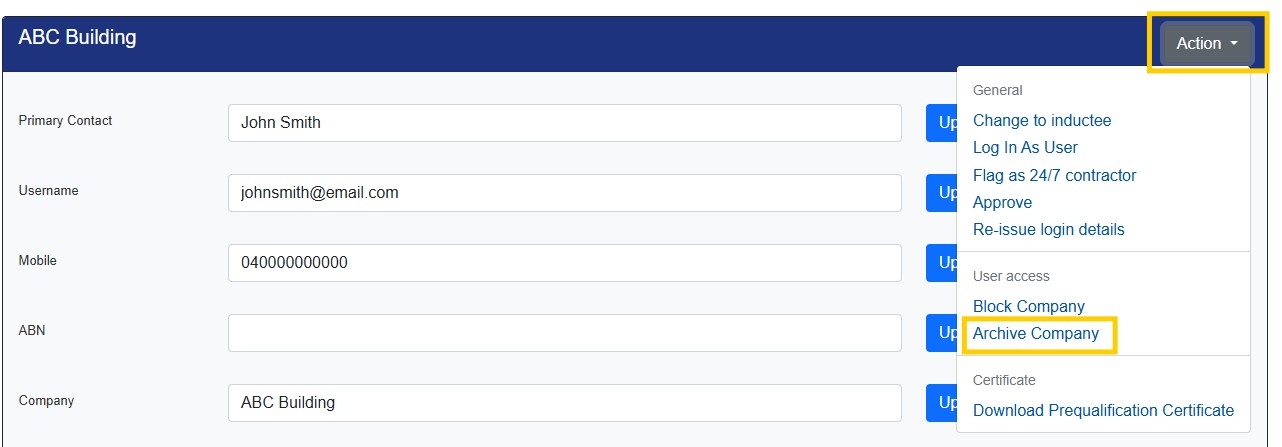
Admins and Supervisors with full company permissions can archive a company by opening its Company Profile in the MANAGE CONTRACTING COMPANIES area and choosing Archive from the ACTION menu.


Archived companies are still able to login and access their account. If they do login, the Company will automatically restore and appear in the main company list. Restore an archived company via the ACTION button in the profile. 


View Archived Companies


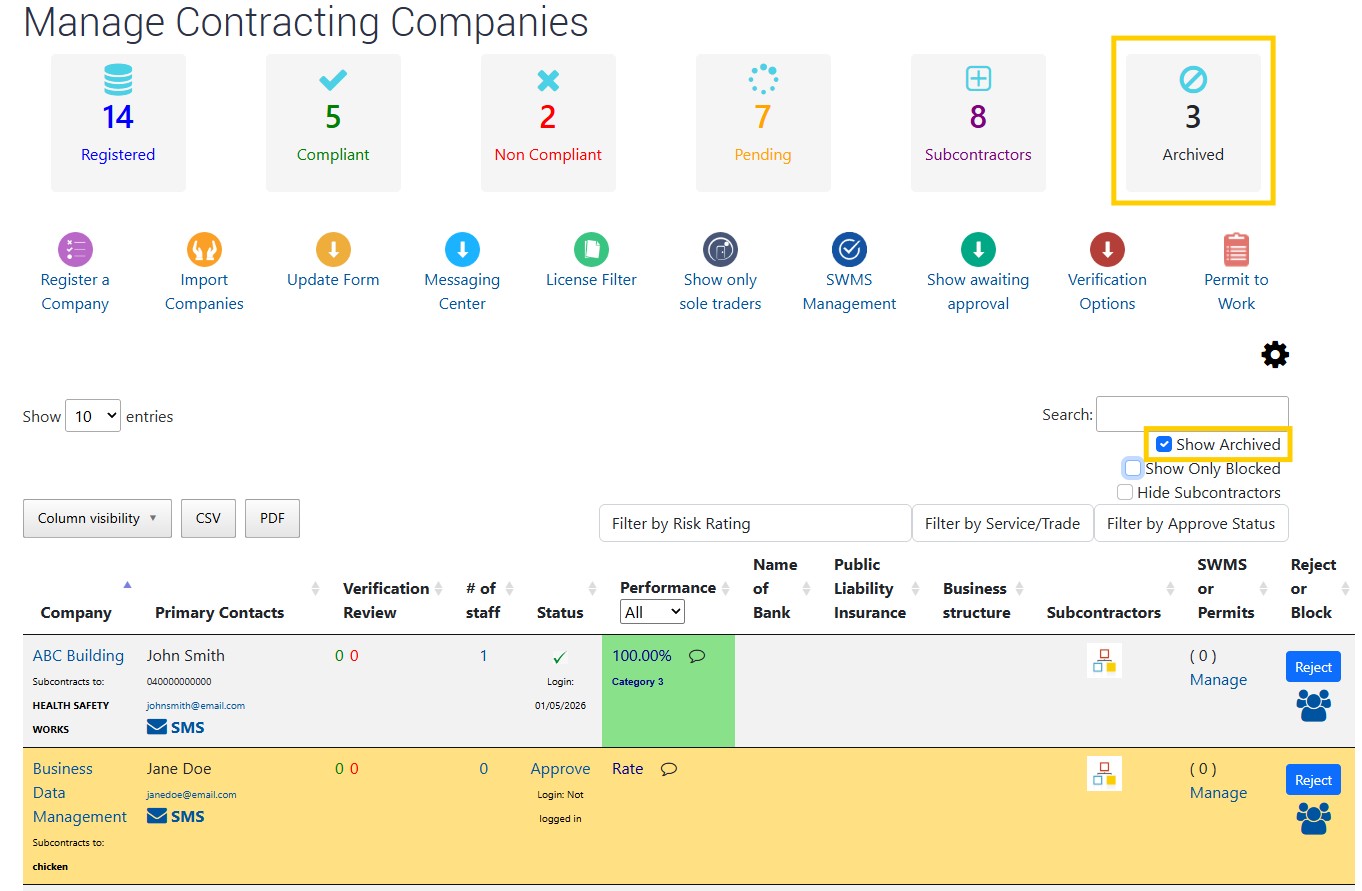
View archived companies by selecting the ARCHIVED tile at the top od the screen, or by selecting the SHOW ARCHIVED checkbox in the filter settings. 

Archived companies will be shaded Yellow. 



  • Create the induction types first
  • Enter in the steps you want per induction type
  • Upload or create content per step
  • Create notifications
  • Link to your portal from your website
  • Tell your users to register


Meet the Support Team!

Courtney Walker
Head Of Customer Success

Michelle Nikolic
Client relationships and support (Maternity Leave)

Robbie Henderson
Client relationships and support

Aisha Annamalay
Client relationships and support

Mitch Downey
Client relationships and support

Onboarding Team

Patricia Cuozzo
Product and Onboarding Lead

Cindy Bohl
Setup Success Team

Kayce Castle
Setup Success Team

Alexis Mckellow-Reading
Setup Success Team


Prequal & Training Team

Laura Williams
Trainer / Prequal Team

Hayley Golembka
Trainer/ Prequal Team

Destiny Rondon
Contractor Prequal Team

Sarah Loose
Contractor Prequal Team

Cam (Float)
Contractor Prequal Team