Online Induction >> Online Induction Tutorials
Your Incident Report portal includes the ability to assign submitted forms (known as a reports) to others for review and comment. To do so, follow the steps outlined below:
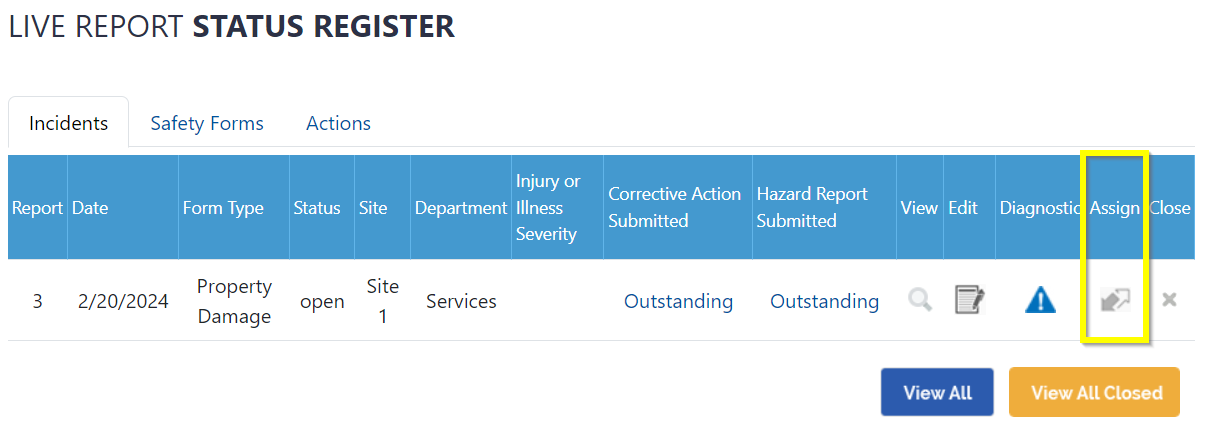
1. Login to the portal and scroll toward the bottom of the dashboard, where you will find the Live Report Status Register. Locate the form that you would like to assign for actioning, and click on the logo within the Assign column to begin.
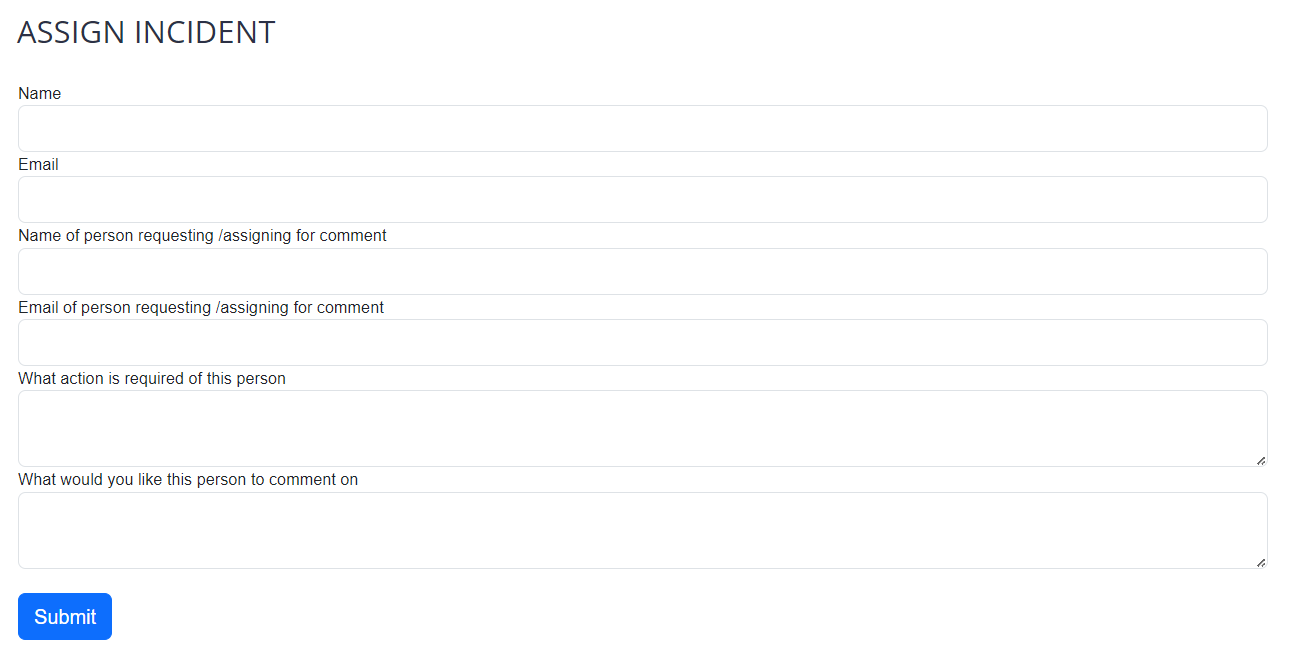
2. Enter the details of the person who will be assigned the report, including any actions you would like them to undertake
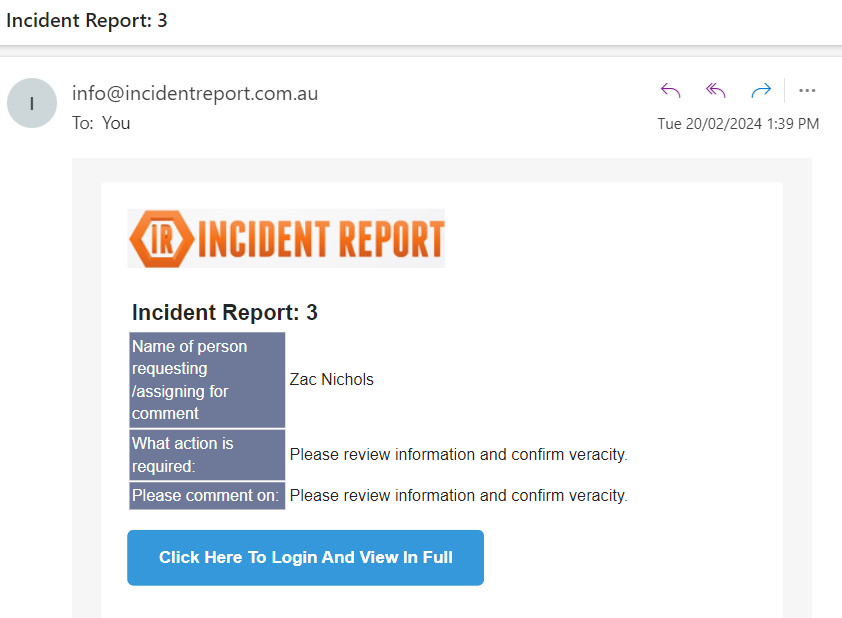
3. Upon completion, the assignee will received an email address prompting to follow a link:
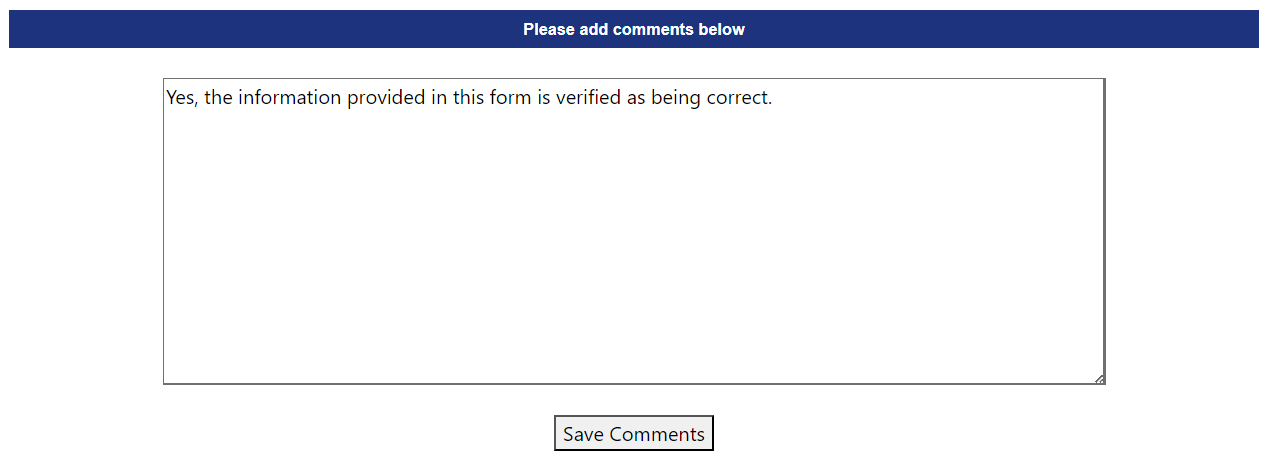
4. The new assignee will then be able to review the information in the submitted report, as well as provide comments at the bottom of the page:
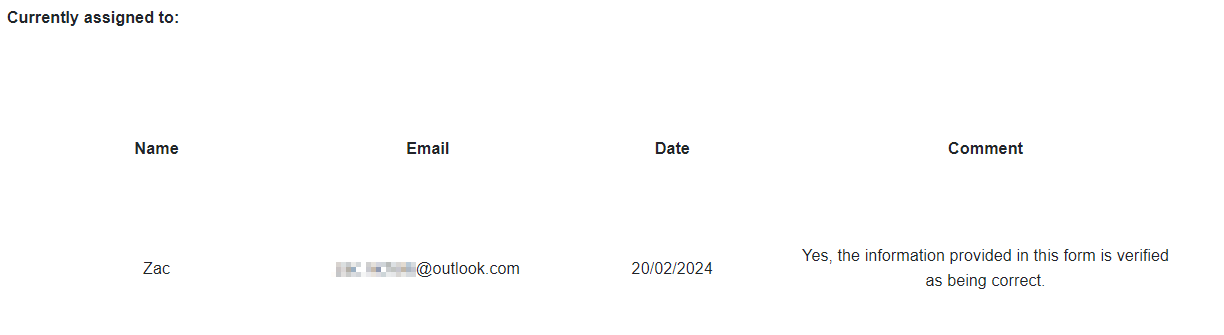
5. Clicking on the Assign button again will display a register of previous assignees and their comments:

Safety matters in and outside the workplace - read the full article here.
Our latest article talking about what insights and lessons learned. Check it out right here.
Check out our latest article about the best company induction design tips.
Check out our latest article about enhancing contractor management through mobile technologies.