Online Induction >> Online Induction Tutorials
Once a company account has been created the account is linked to a "company representative" sometimes referred to as a Company Rep in this tutorial section, the company can also register its own inductees via two methods.
Provide the New Induction Link to their employees to use the self registration process.
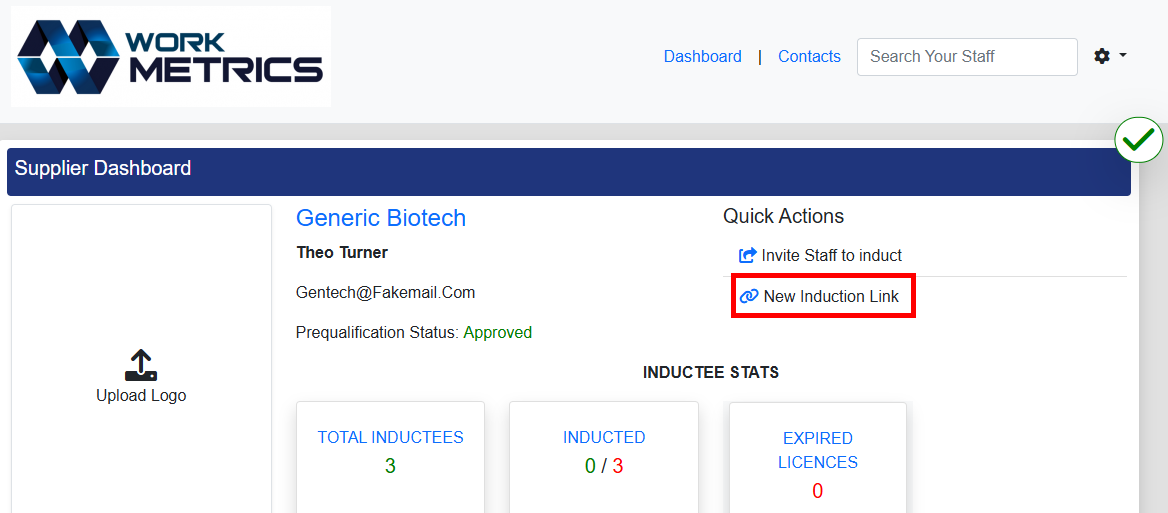
(Example above contains a sample portal, your link will reflect your portal name)
The link can be found within the Company Rep’s dashboard under the Quick Actions area. When selecting ‘New Induction Link’ and using the copy link option from their browser to obtain the link to share with their staff this will be copied to their clipboard. The link will direct the user to the Induction Selection then the Registration Area with their company name already filled out.
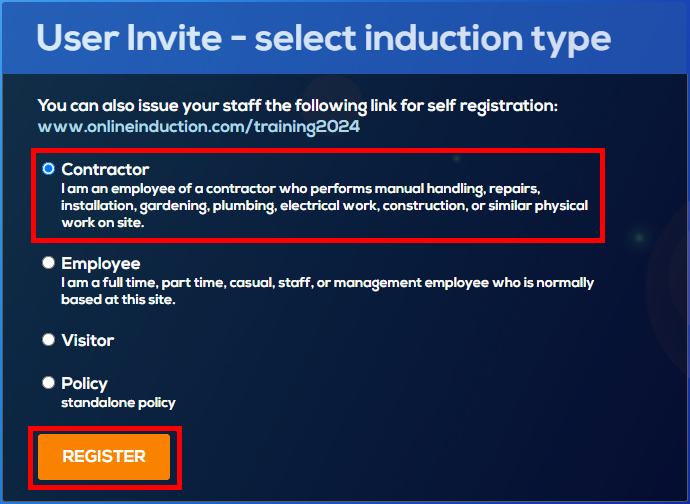
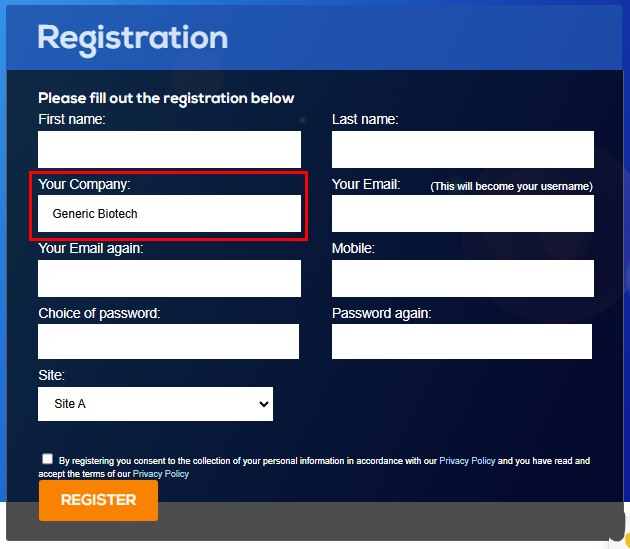
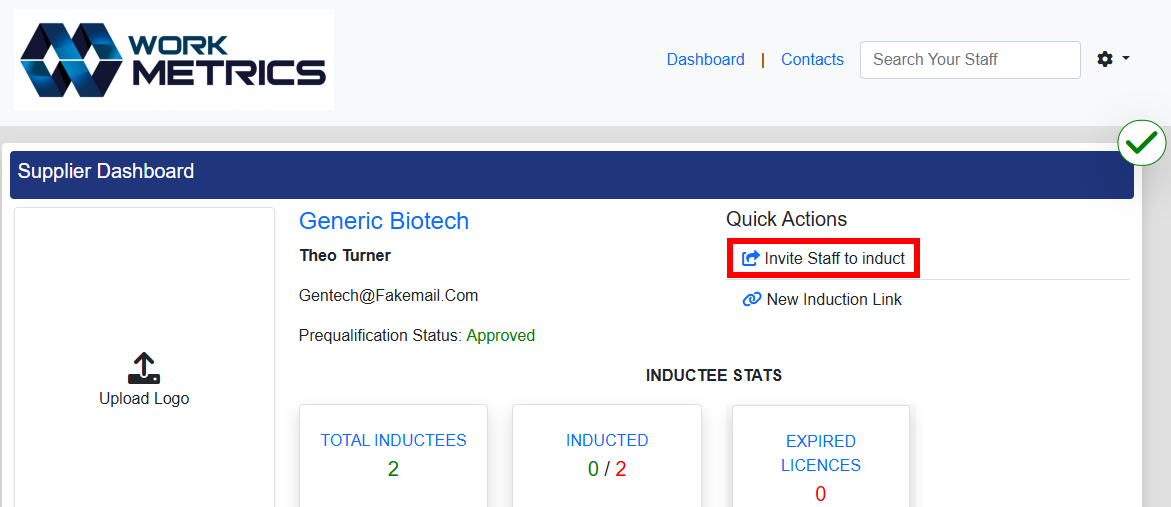
Another option some company reps can use, by clicking the ‘Invite Staff to Induct’ link, it will take the Company Rep to the above areas where they will be the ones selecting the induction for their user to complete. This would also require the company rep to have the following details - first and last name, email, phone number, set a password and select the relevant induction. The user then will need to be informed to log in to complete or within the company rep dashboard an email notification can be issued.
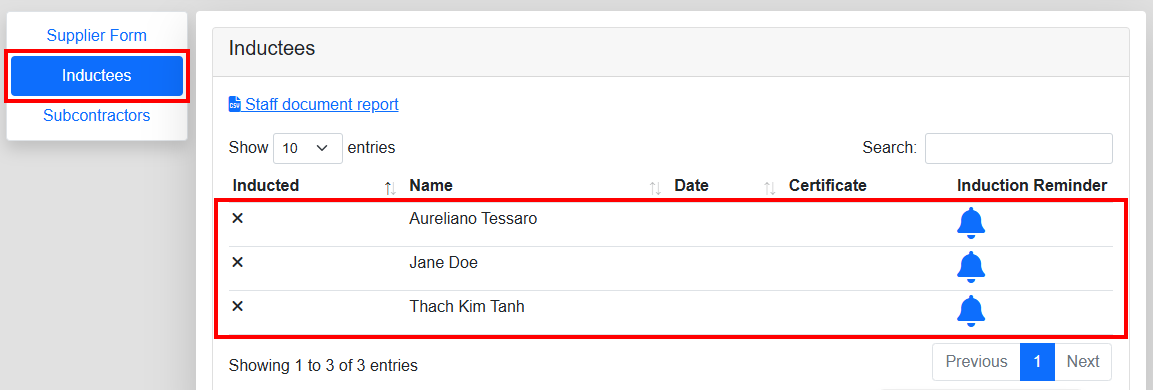
The Inductees tab brings the Company Rep to a list of users
that are registered against their company, when they have completed their
assigned induction the X next to their name will turn to a Tick.
The Company Rep can click the bell icon against the relevant
user to send an email notification providing the users link and log ins along
with a reminder to complete their induction.
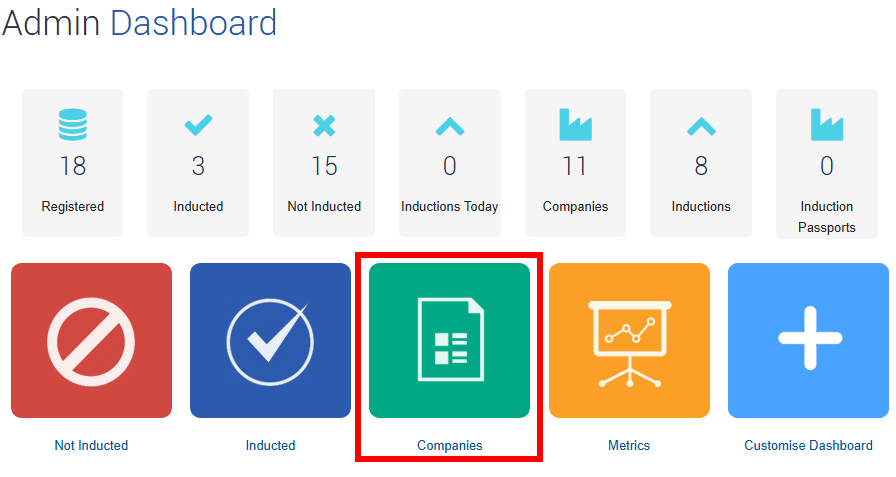
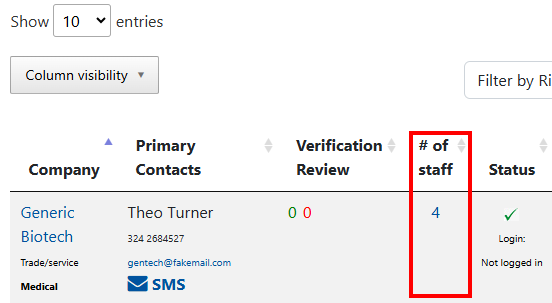
Once a user is registered, they will also be visible for Admin/Management in your Online Induction Portal. Either via the Companies area under Number of Staff or via the Inducted/Not Inducted areas.
All names and information relating to users within this tutorial are fictional

Safety matters in and outside the workplace - read the full article here.
Our latest article talking about what insights and lessons learned. Check it out right here.
Check out our latest article about the best company induction design tips.
Check out our latest article about enhancing contractor management through mobile technologies.