Online Induction >> Online Induction Tutorials
Firstly log in to your administrator account of your dedicated Online Induction Portal
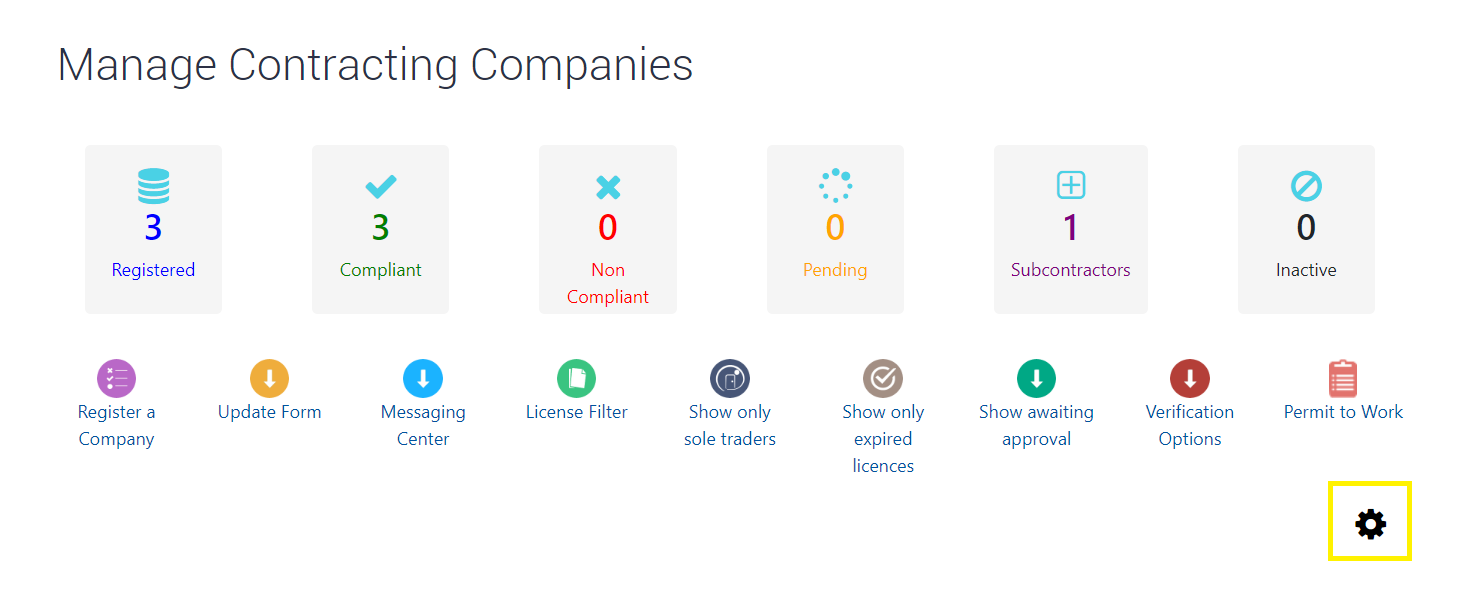
Click "Companies" in your central admin dashboard, this will bring you to the Manage Contracting Companies area.
Whilst in this screen, select the gear box on the right hand side.
You can then select to Hide or Show subctractor field on company registration page.
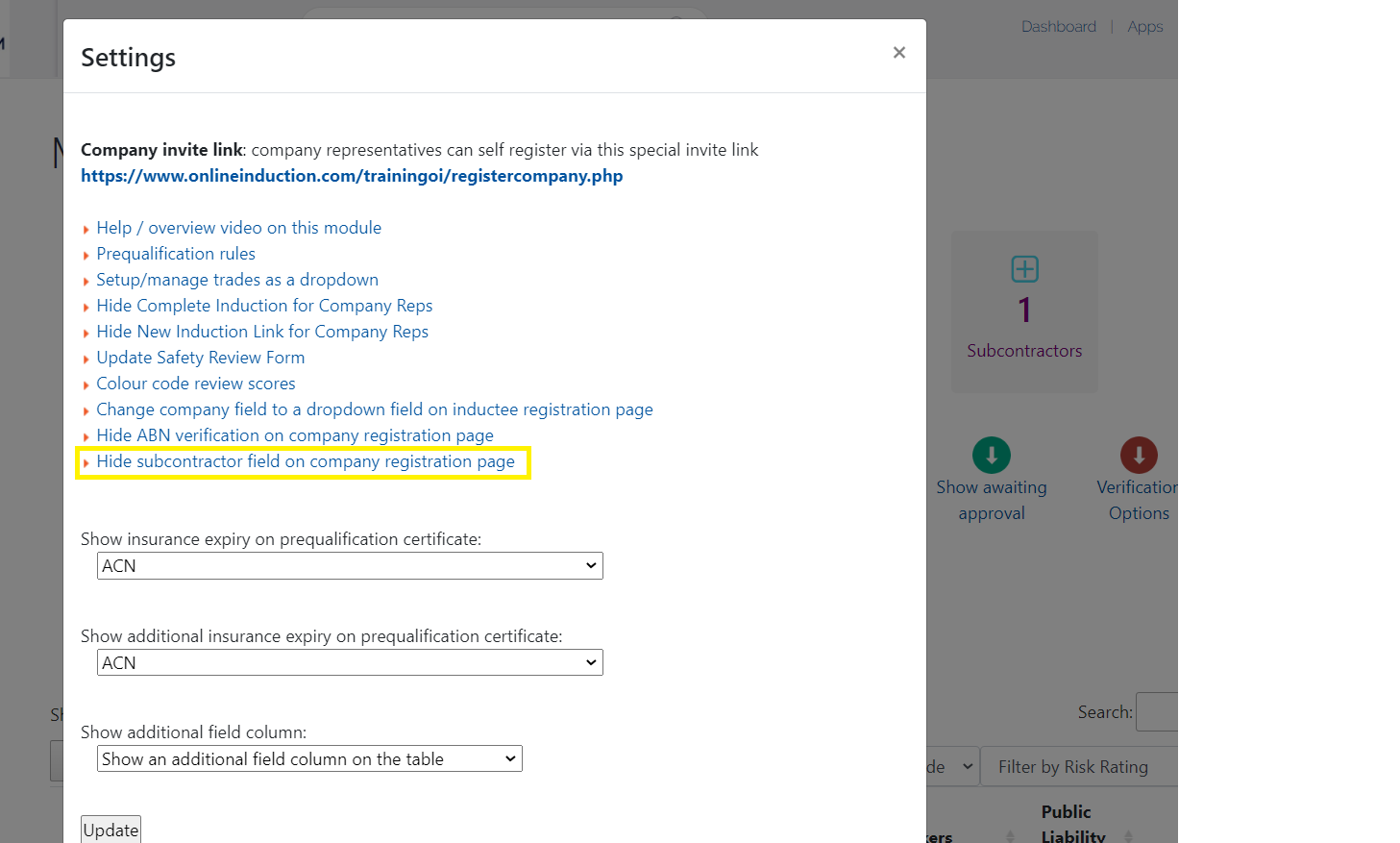
By default Subcontractor field will be set as a text field available on the registration page of new Company Representatives.


Safety matters in and outside the workplace - read the full article here.
Our latest article talking about what insights and lessons learned. Check it out right here.
Check out our latest article about the best company induction design tips.
Check out our latest article about enhancing contractor management through mobile technologies.