Online Induction >> Online Induction Tutorials
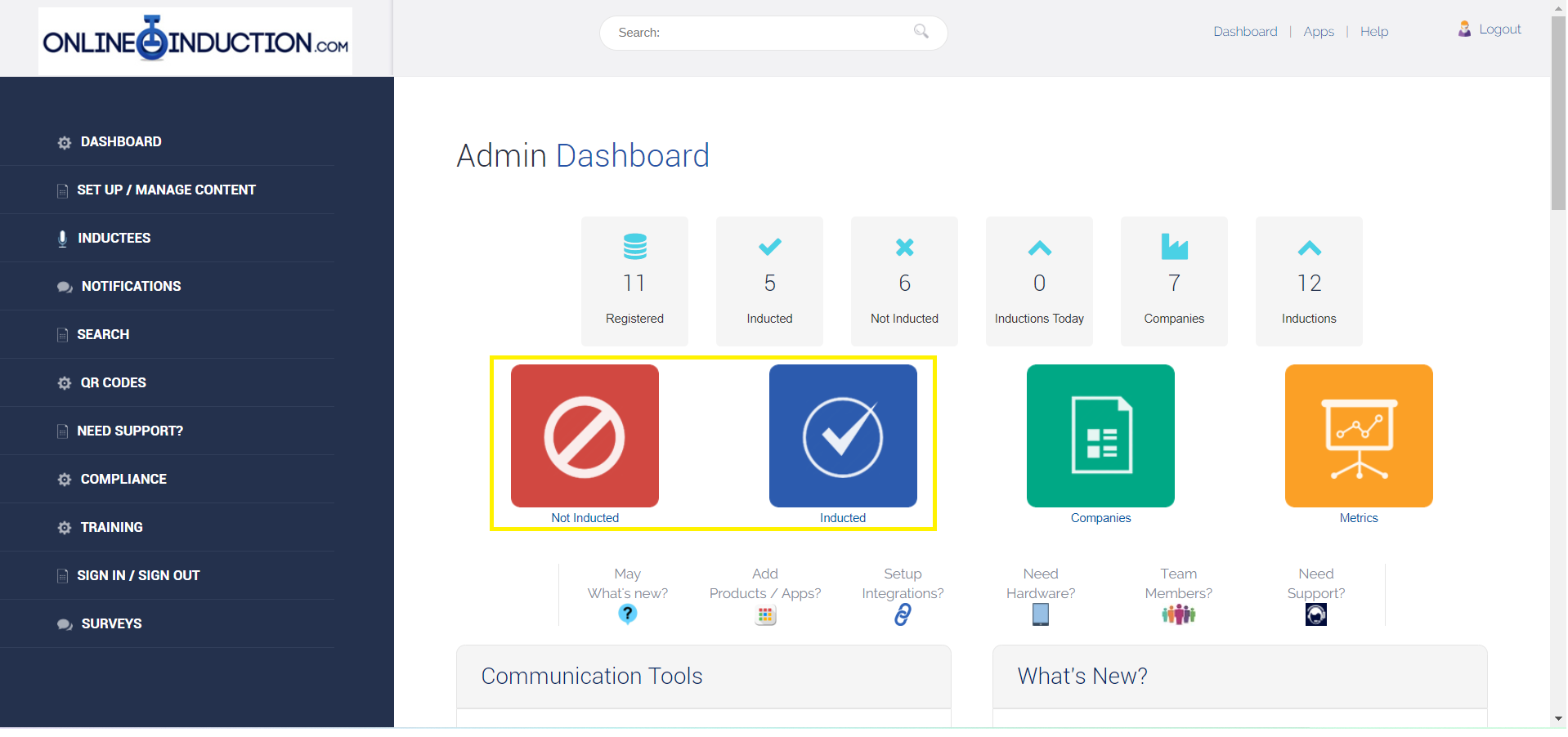
To record an offline induction, go to either the Not Inducted or Inducted area on the admin dashboard.
Once here, select Manual Induction.
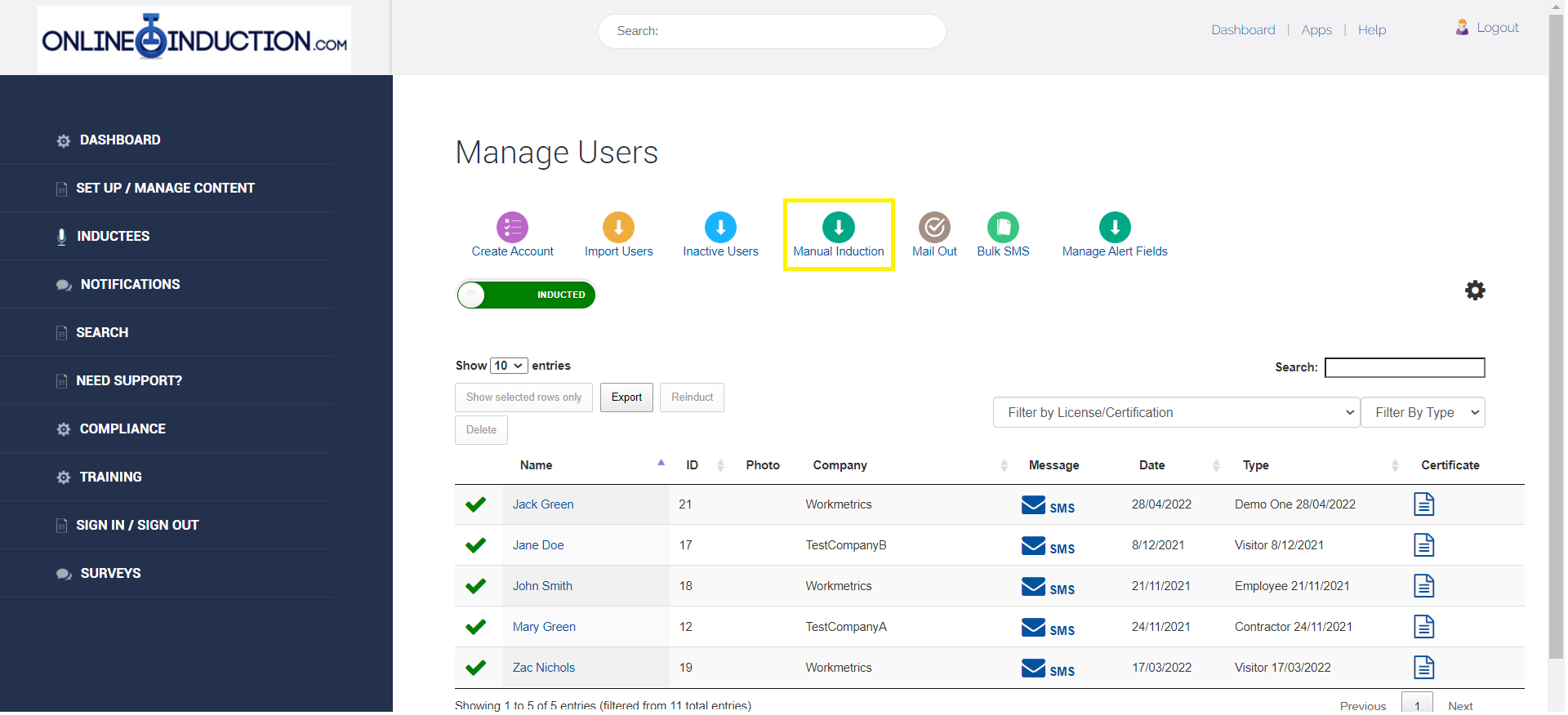
Select the type of induction the inductee has completed offline then select Register.
Fill out the form with the inductees details then select Register again.


The inductee will now have be marked off as inducted and have access to a user account in the portal where they can update their contact details and much more.

Safety matters in and outside the workplace - read the full article here.
Our latest article talking about what insights and lessons learned. Check it out right here.
Check out our latest article about the best company induction design tips.
Check out our latest article about enhancing contractor management through mobile technologies.