Online Induction >> Online Induction Tutorials
How to Update or Delete a Document in an Induction Check List Step
To upload a new document or delete a current document in a check list step, head to Set Up/Manage Content on your Online Induction Dashboard
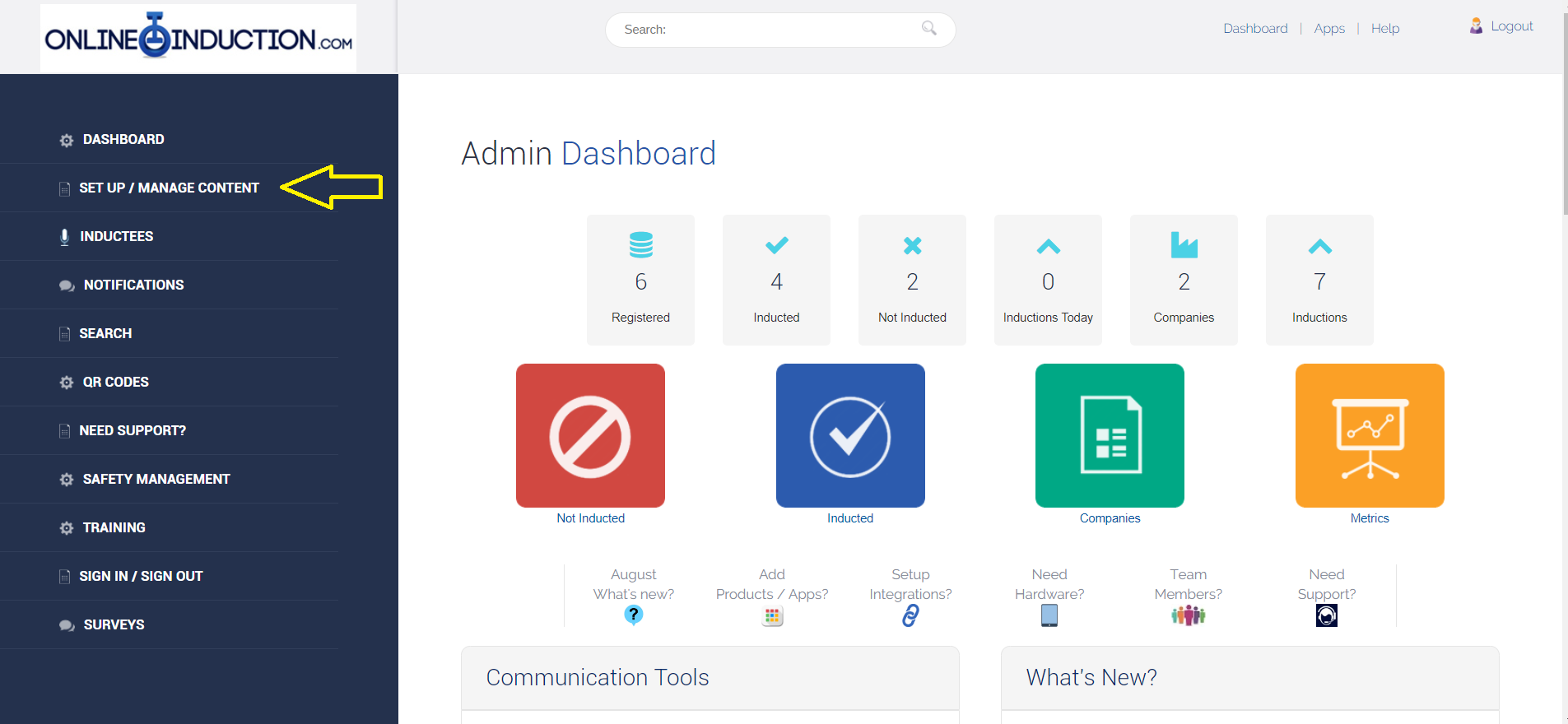
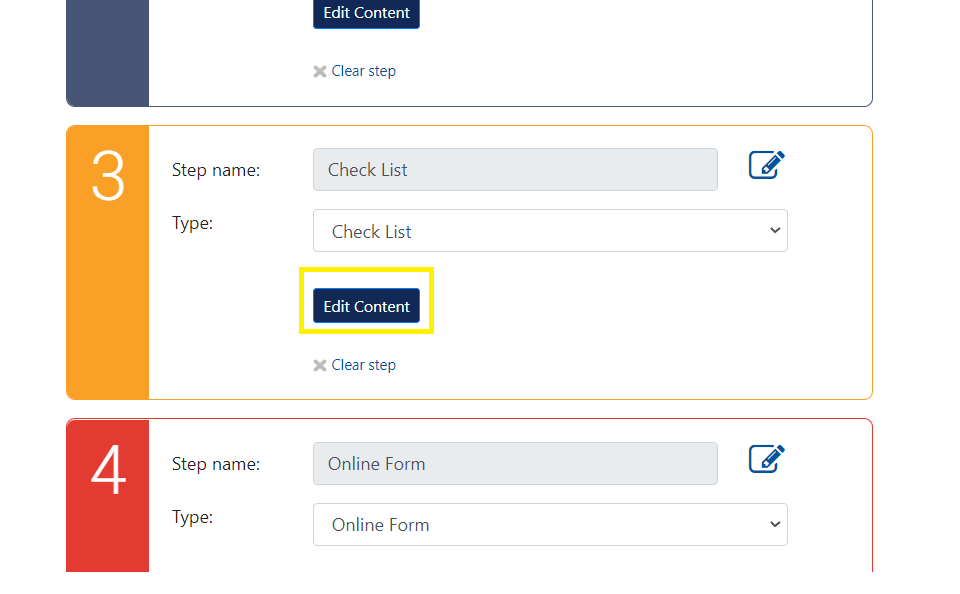
Select the relevant induction from the dropdown, then select Edit Content on the Check List step
Once here, select the document upload icon to the right of the text field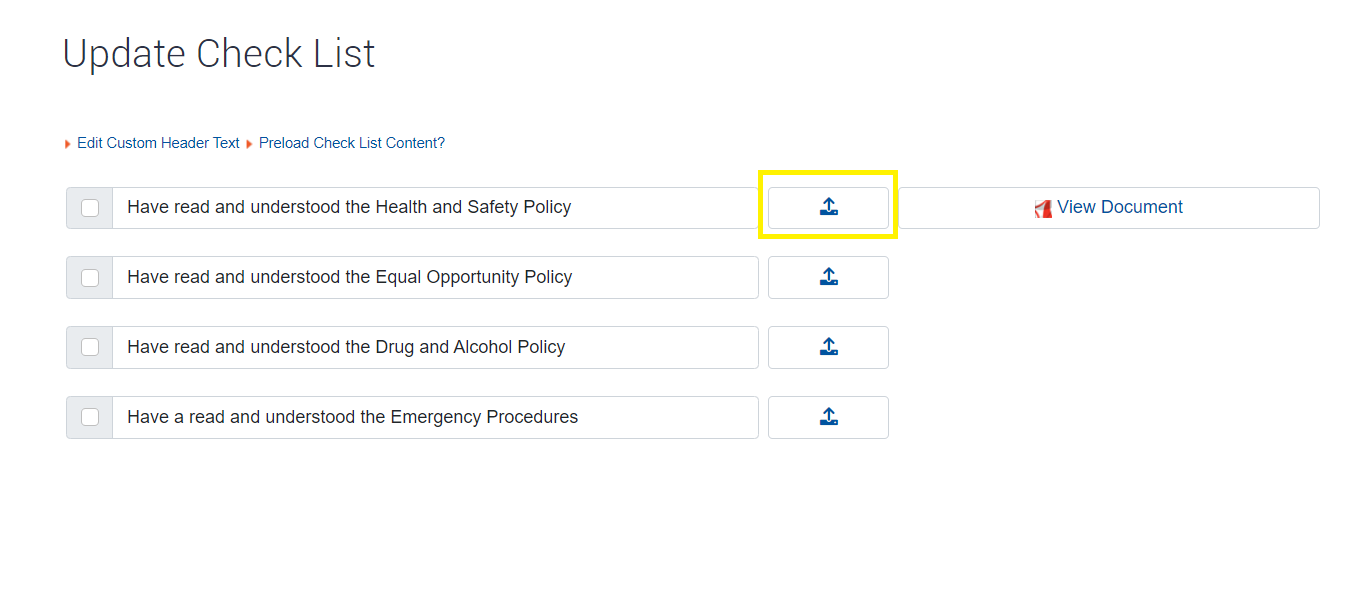
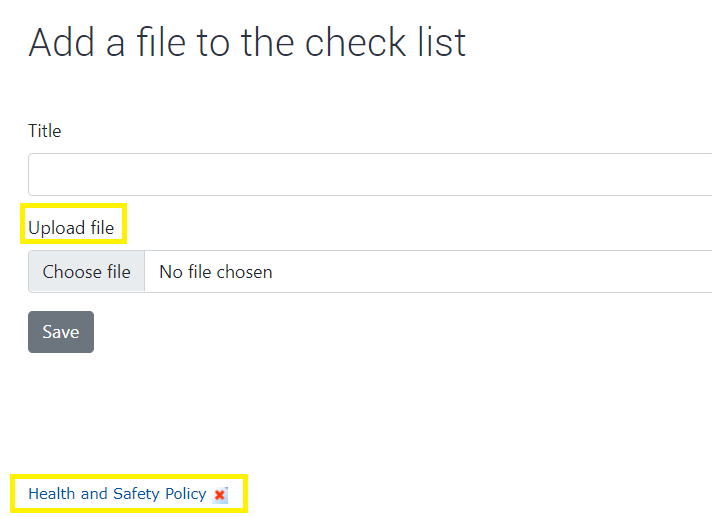
In this area, you can Upload a new document, select the current document to view it or select the red X icon to remove.
Note: Dont forget that check list items in which have documents attached will only be marked off in an induction when the inductee has opened the attached document. If a check list field does not have a document attached to it, inductees can mark them off manually.

Safety matters in and outside the workplace - read the full article here.
Our latest article talking about what insights and lessons learned. Check it out right here.
Check out our latest article about the best company induction design tips.
Check out our latest article about enhancing contractor management through mobile technologies.