Online Induction >> Online Induction Tutorials
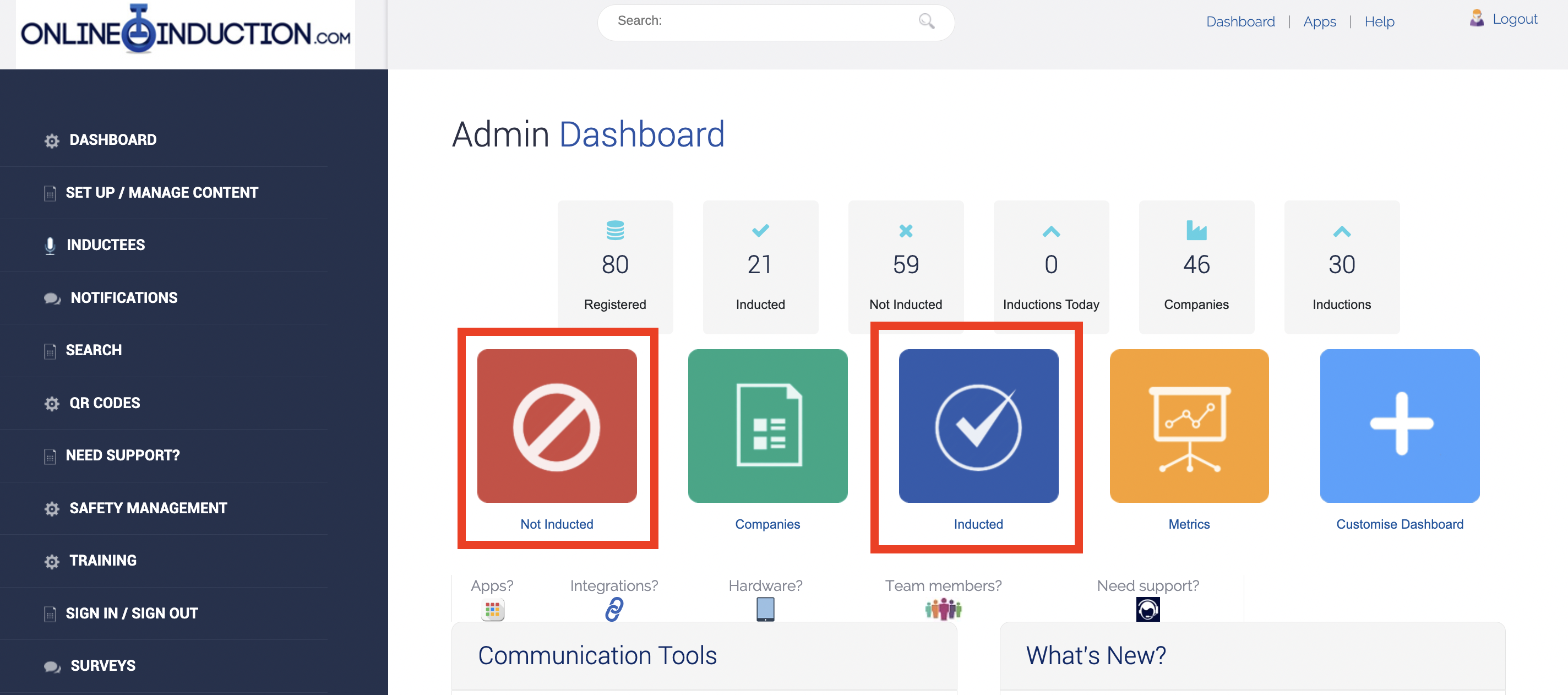
1) Log into your admin account, select from the dashboard either the Non Inducted or Induction icon highlight above
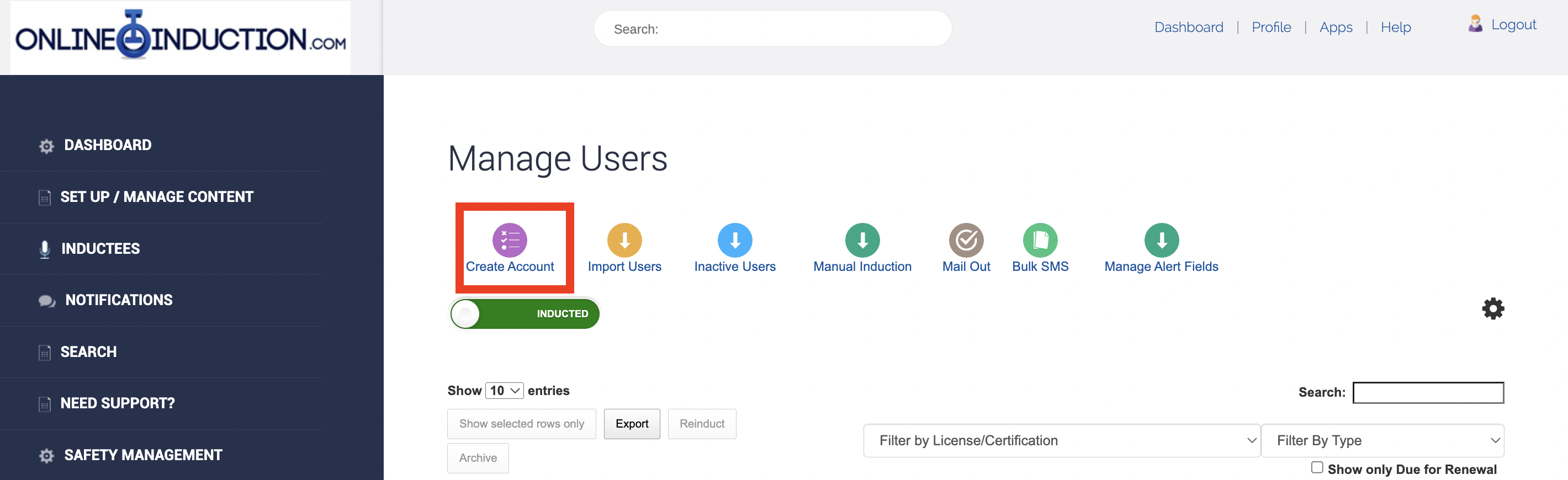
2) Select "Create Account"
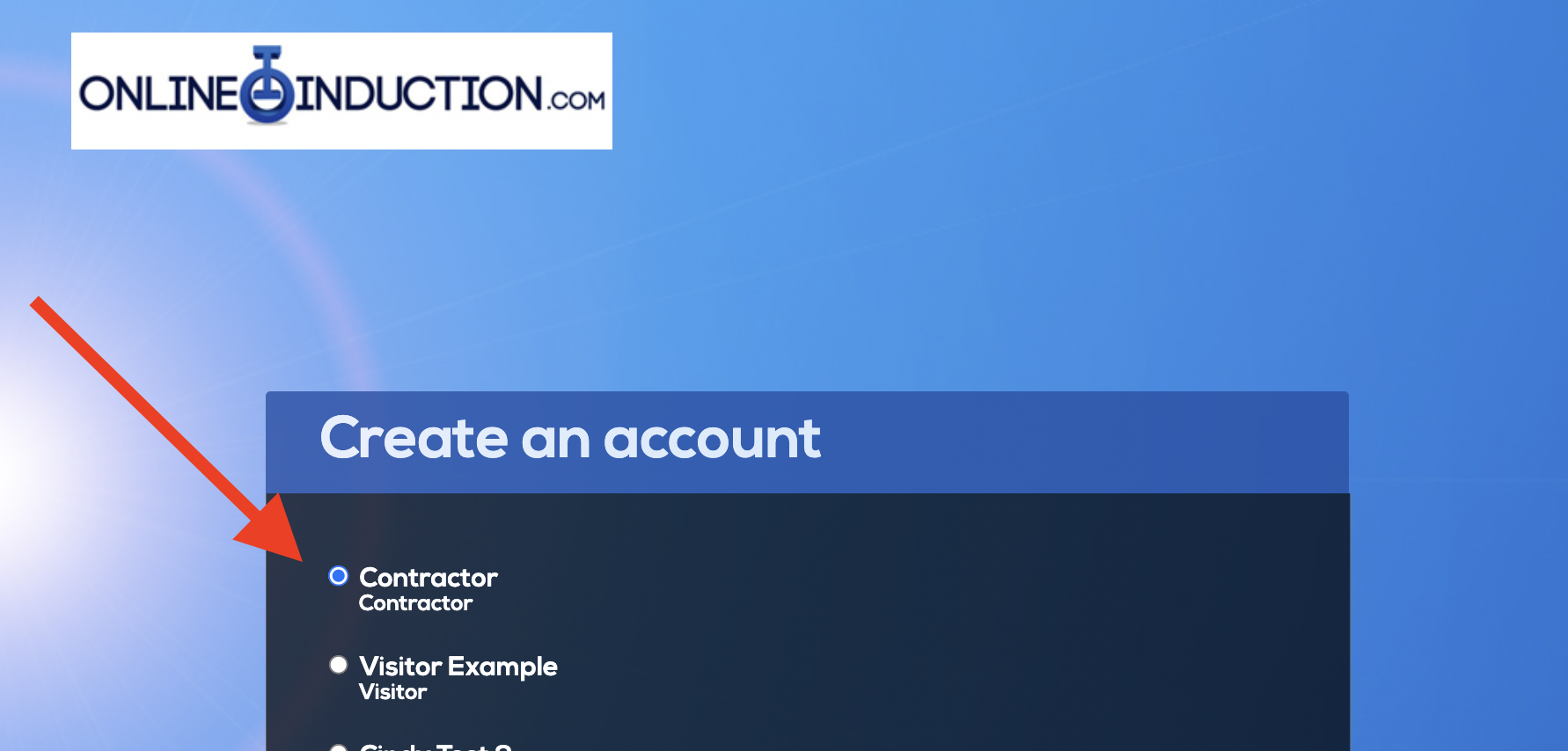
3) Nominate which induction you would like your inductee to initially complete
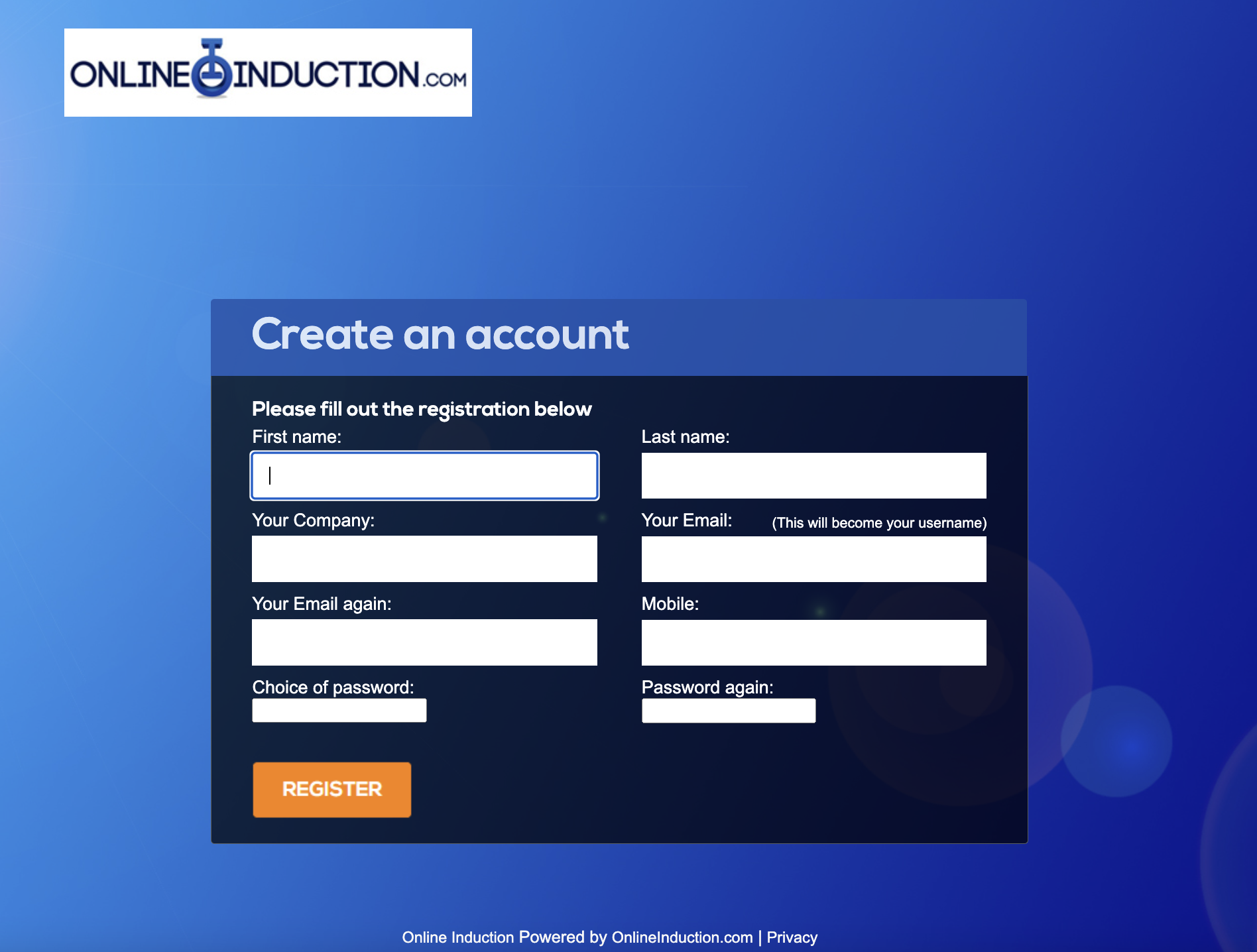
4) Complete the registration form, nominating the users name, company, email address (which will become their username) and nominate a password
5) Your new user will now appear in your non-inducted list (for users registered but have not completed their assigned induction. They will also receive an email to their nominated email account which will provide them with log in details and the your specific Onlineinduction.com link to sign in and complete the assigned induction.

Safety matters in and outside the workplace - read the full article here.
Our latest article talking about what insights and lessons learned. Check it out right here.
Check out our latest article about the best company induction design tips.
Check out our latest article about enhancing contractor management through mobile technologies.