Online Induction >> Online Induction Tutorials
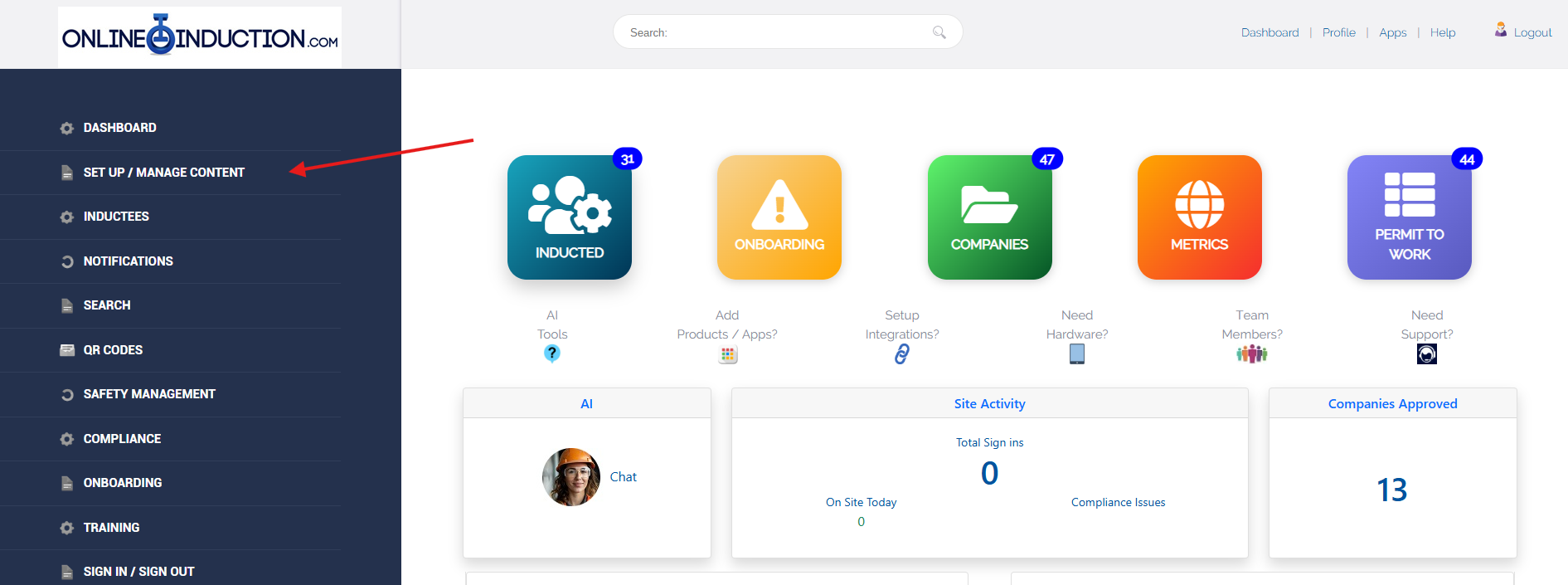
Log into the admin Dashboard, Navigate to Set up/Manage Content
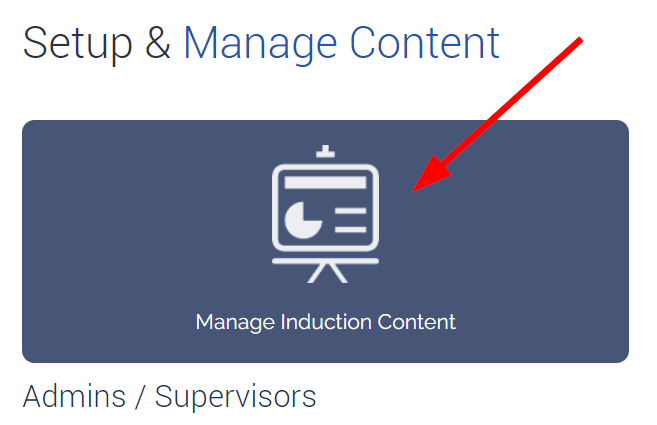
Click Manage Induction Content
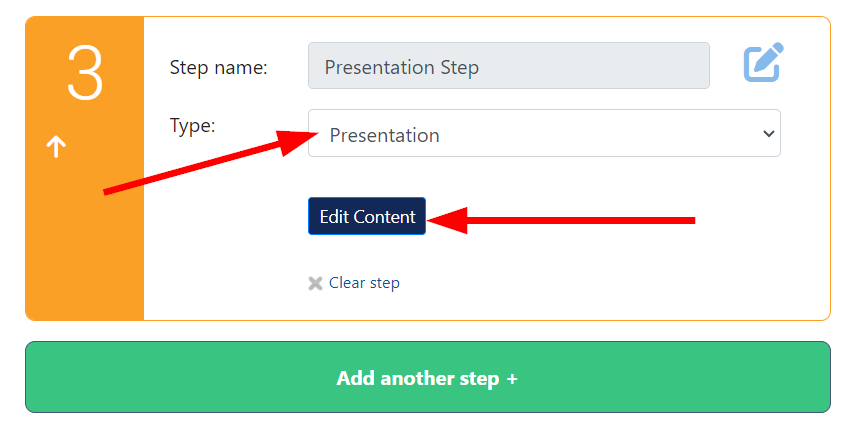
Ensure the selected step is a presentation type. Uploads can be formatted as PPTX, PDF or SCORM.
Click edit content next to the step in order to do this
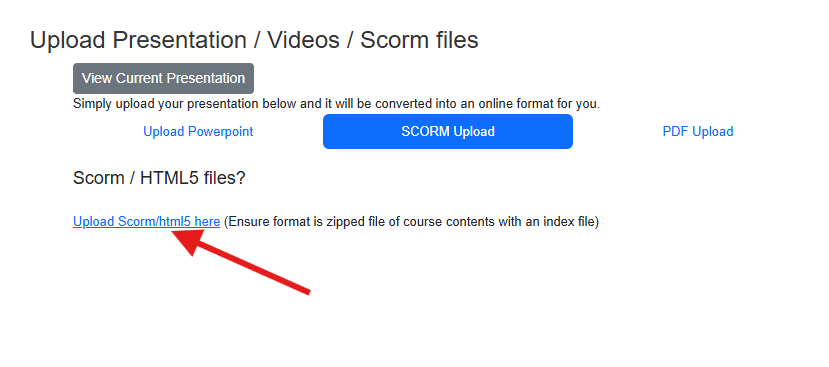
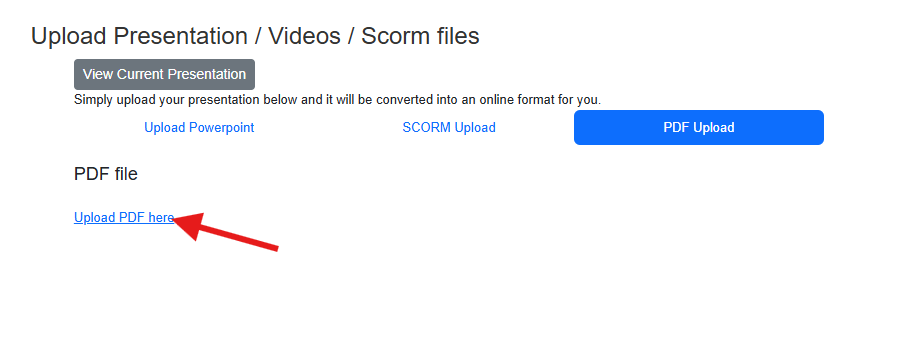
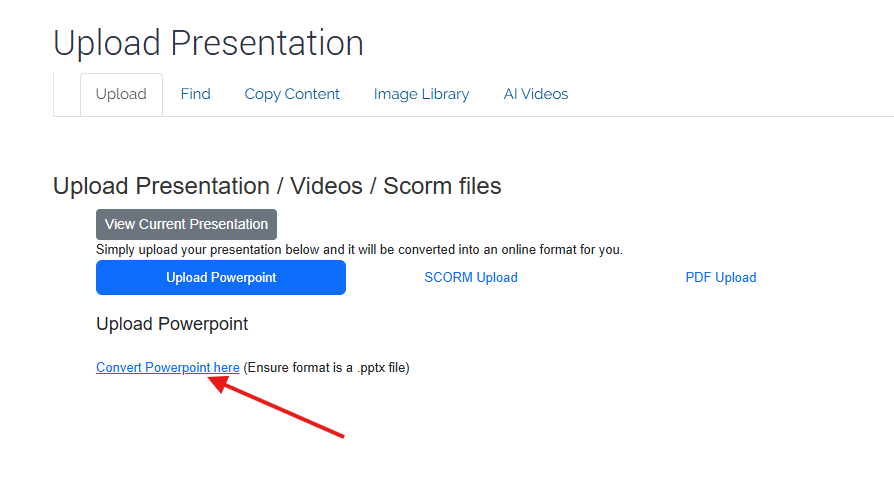
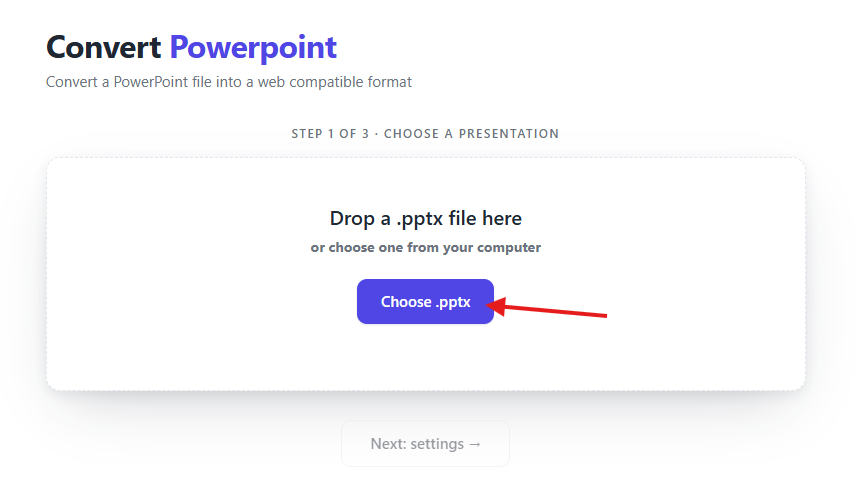
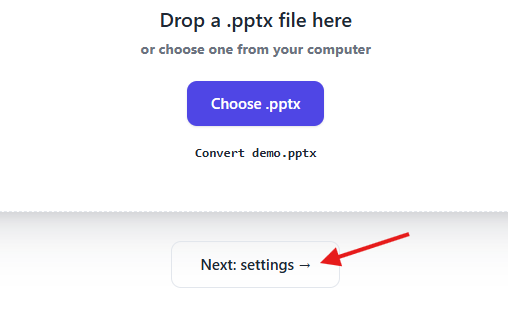
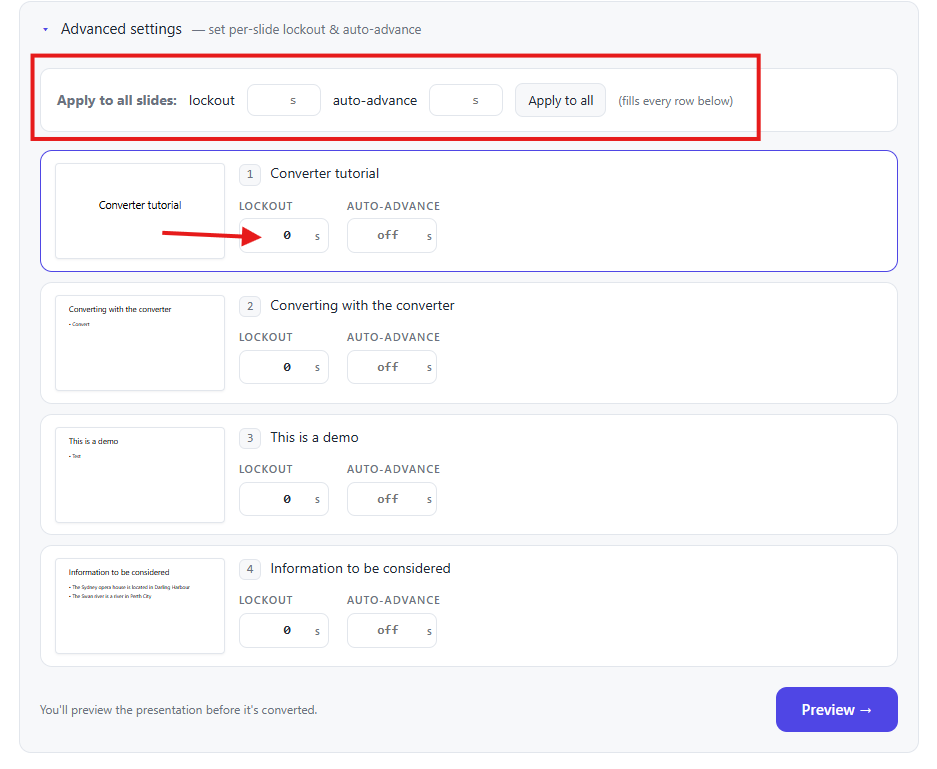
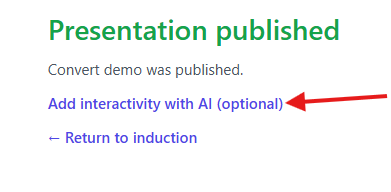
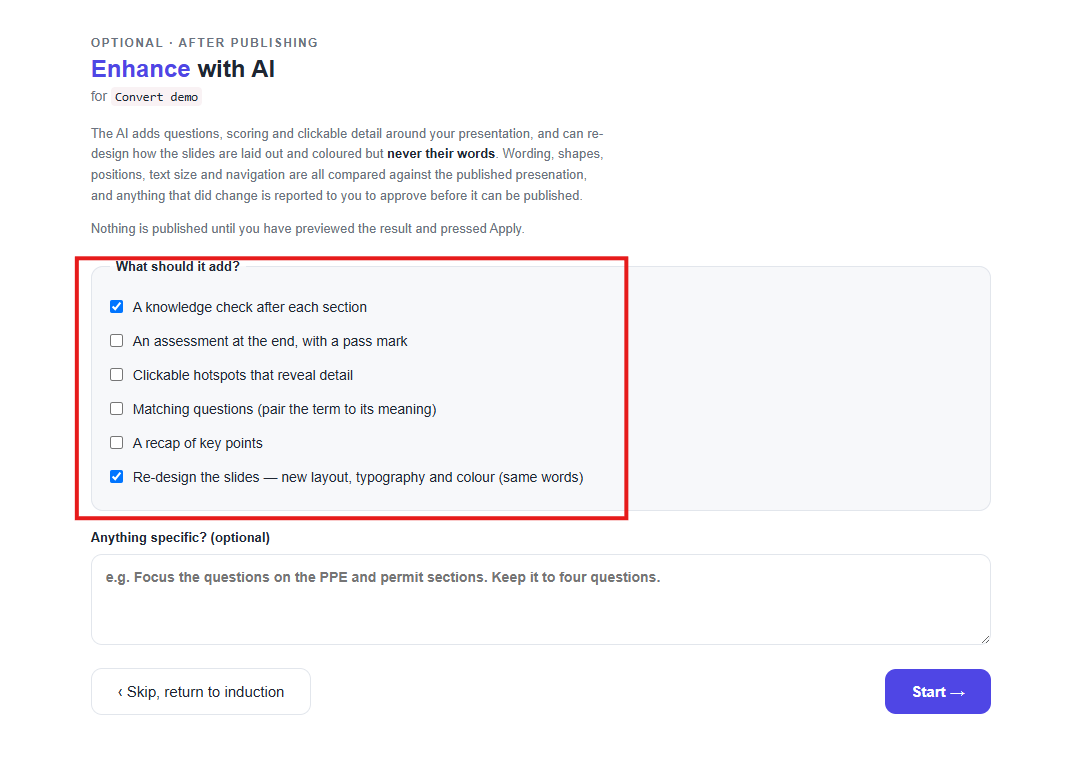
Powerpoint presentations require conversion and can be done so using the built in powerpoint converter within the system.
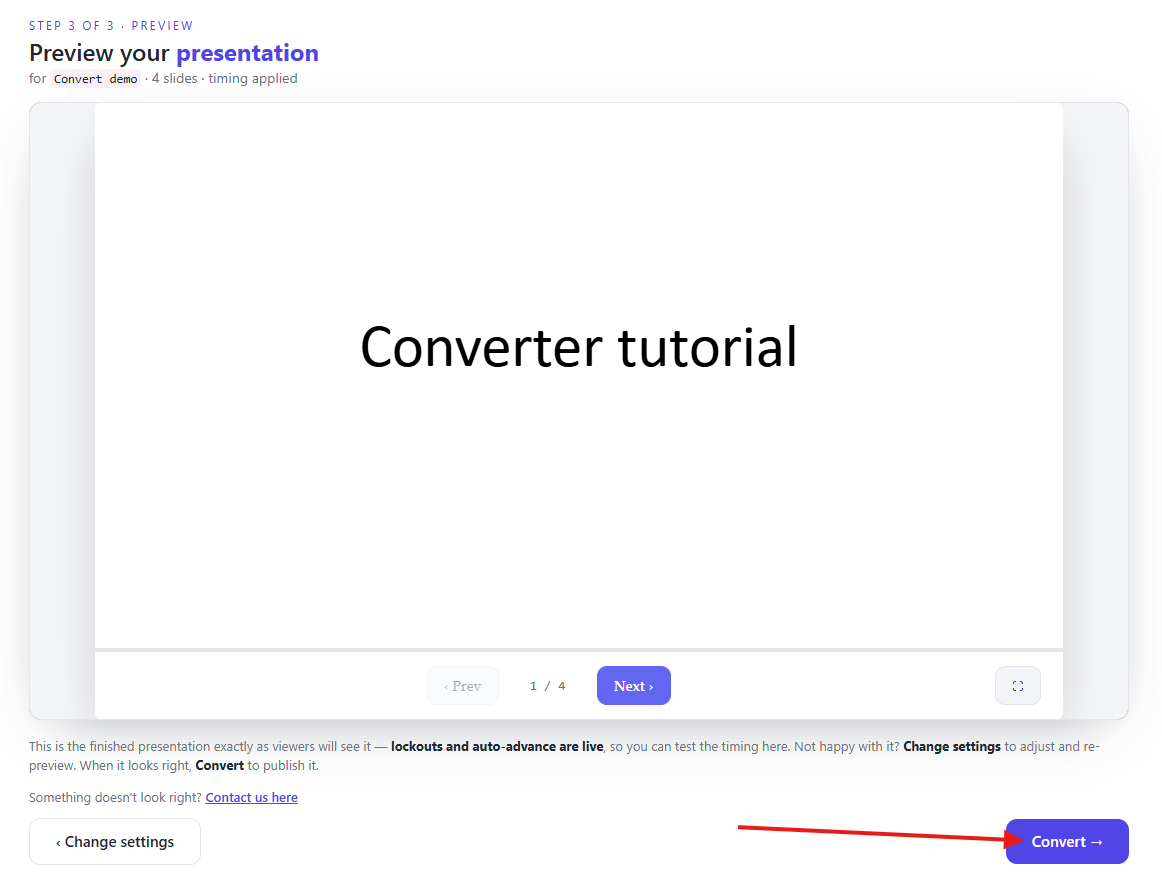
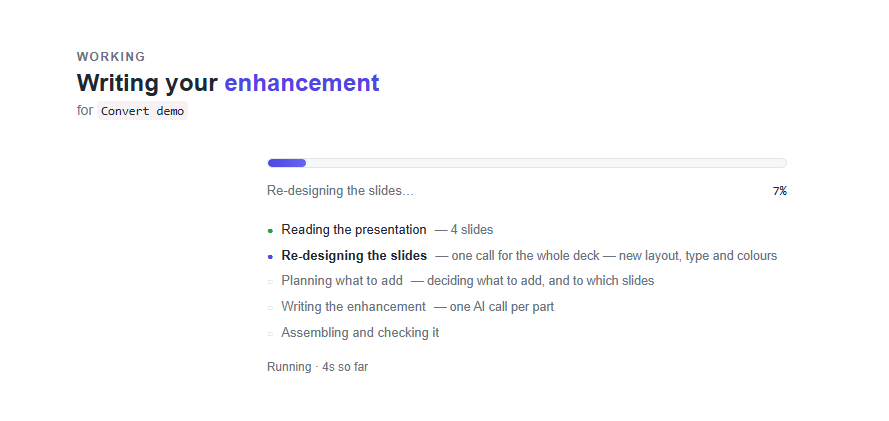
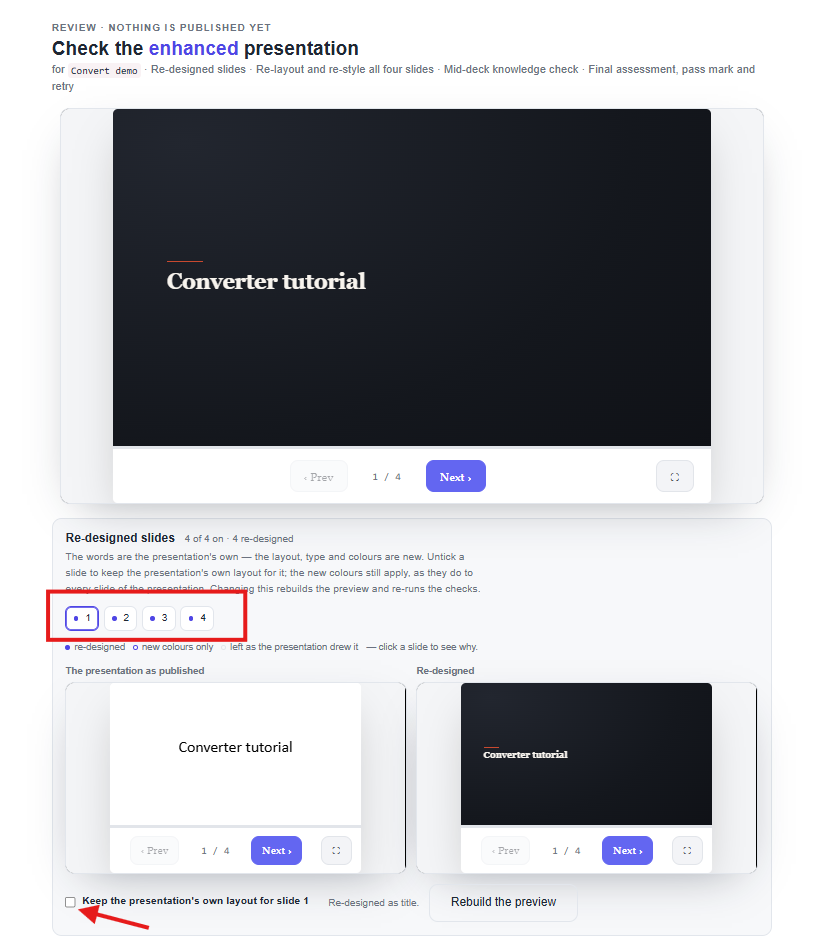
To review your presentation upload once published, log in as an inductee for the matching induction type and click the relevant step to view the presentation.
If you are requiring something else for your presentation we offer additional customisation options. Clicking on one of the below links will direct you to our website for further assistance.


Safety matters in and outside the workplace - read the full article here.
Our latest article talking about what insights and lessons learned. Check it out right here.
Check out our latest article about the best company induction design tips.
Check out our latest article about enhancing contractor management through mobile technologies.