Online Induction >> Online Induction Tutorials
How to use an induction QR code

QR Codes are a great way for users to complete Inductions via a mobile device or tablet.
 
There are 2 ways to access the Induction QR Codes from you Portal. 

 
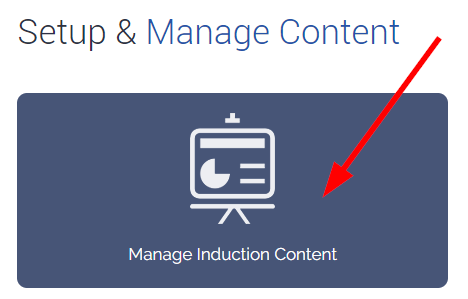
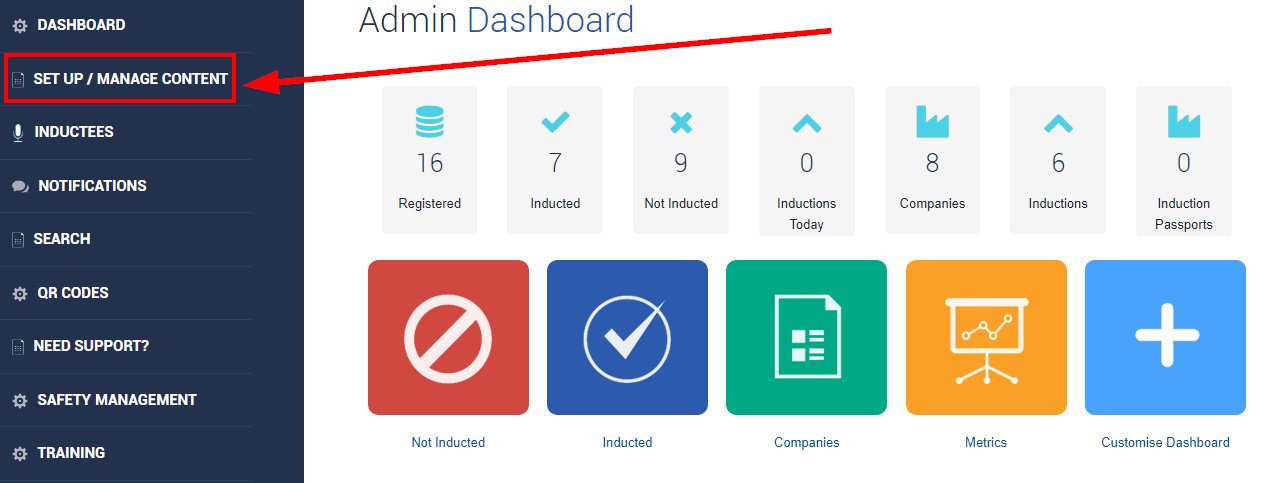
Option 1 - From the Admin Dashboard select Set Up / Manage Content 


Select Manage Induction Content  


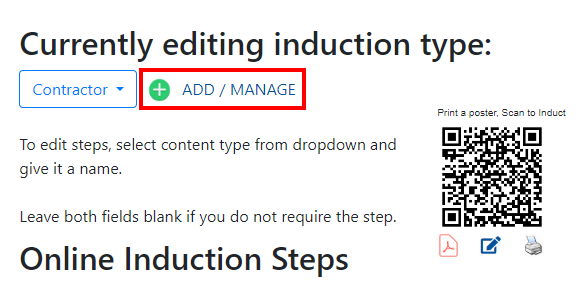
Select ADD / MANAGE   


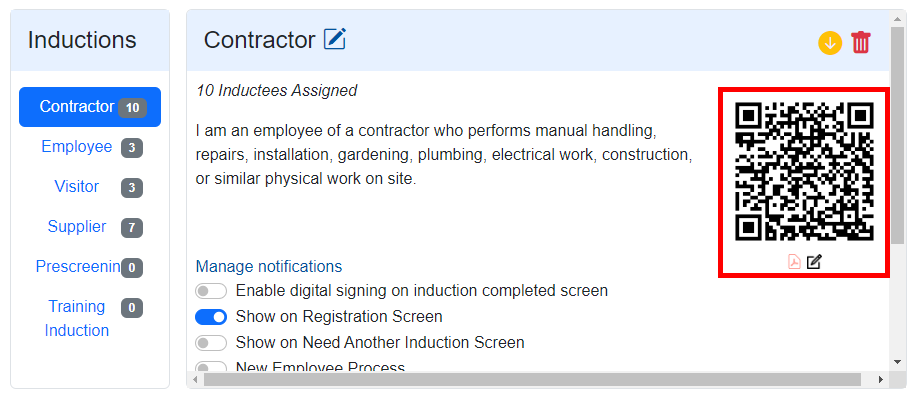
Select the induction from the sidebar, there will be a individual QR Code for each induction you create. 


Selecting the RED Pdf icon will let you download the QR poster.  

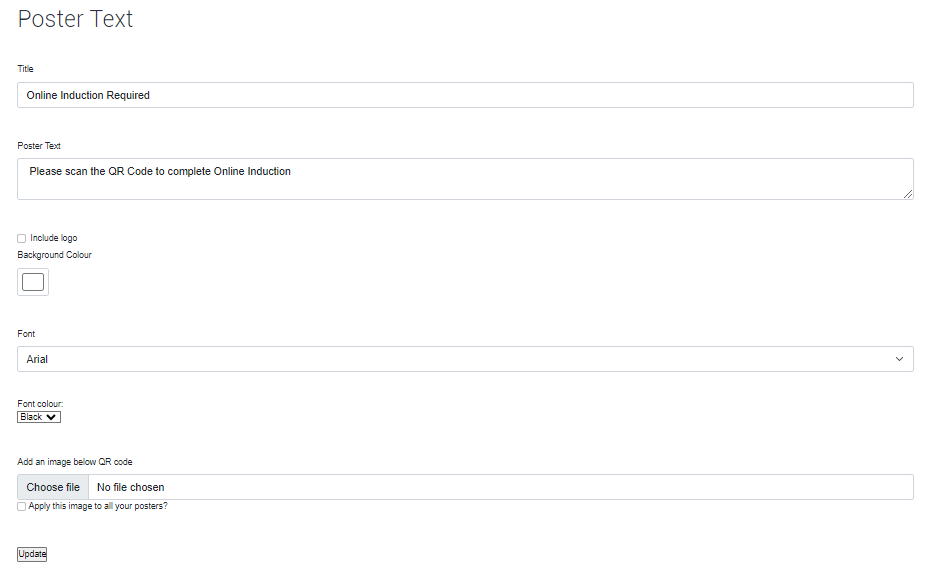
Selecting the BLACK Pencil icon will let you edit the QR poster.


You have lots of options to customize the QR Code to suit your companys needs.
   
-----------------------------------------------------------------------------------------------------------------------------------------------------------------

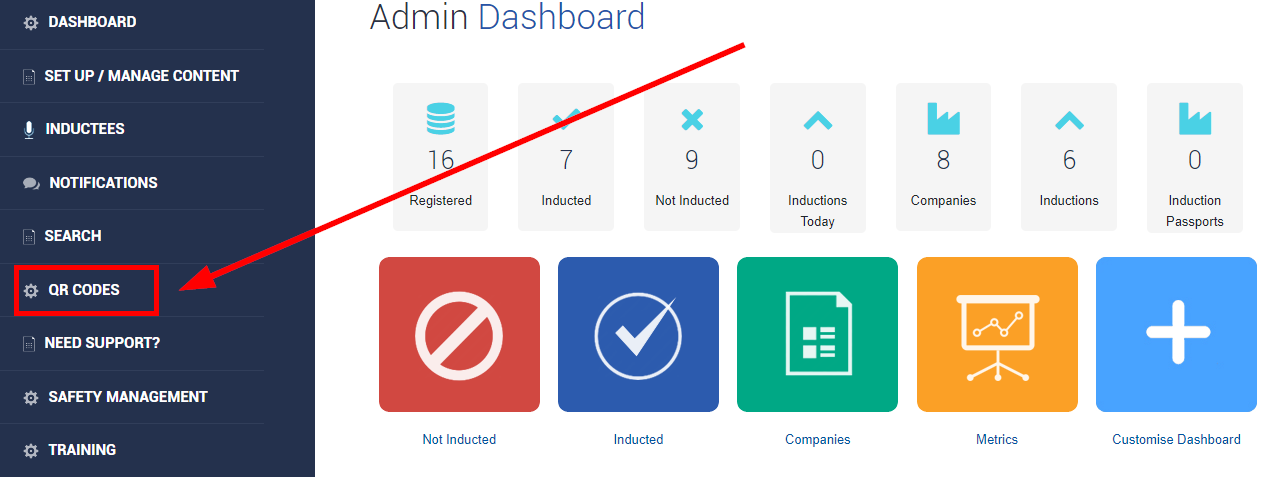
Option 2 - From the Admin Dashboard select QR Codes  


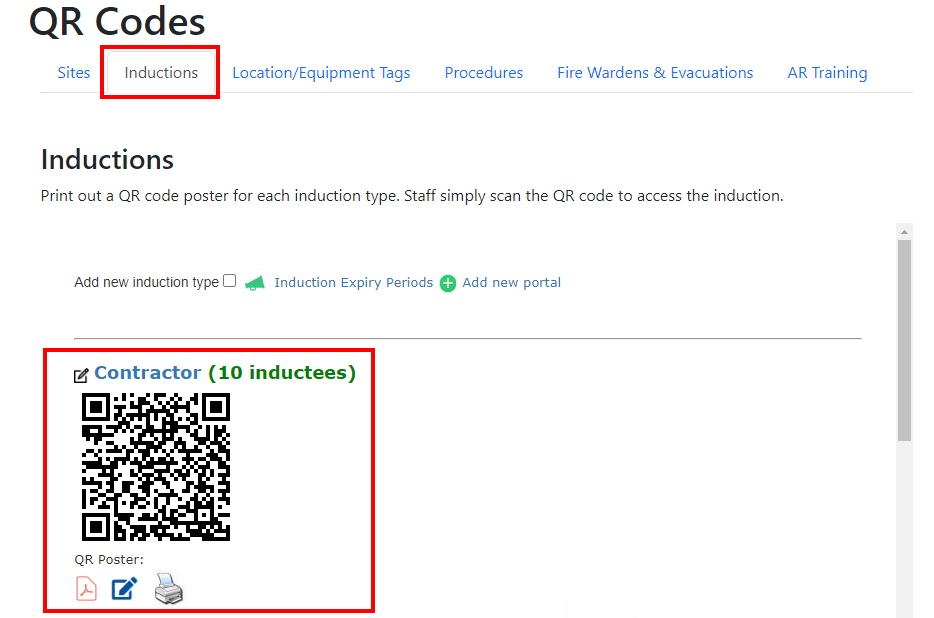
Then select Inductions, you will be able to see all the QR Codes in your portal regarding Inductions. 
 
You can edit and download the QR Codes from this area.  


  • Create the induction types first
  • Enter in the steps you want per induction type
  • Upload or create content per step
  • Create notifications
  • Link to your portal from your website
  • Tell your users to register


Meet the Support Team!

Steve Guthrie
Head Of Customer Success

Michelle Nikolic
Client relationships and support

Bella Luhetoa
Client relationships and support

Melissa Guy
Client relationships and support

Amy Collins
Client relationships and support

Robbie Henderson
Client relationships and support


Onboarding Team

Patricia Cuozzo
(Currently on Mat Leave)
Product and Onboarding Lead

Cindy Bohl
Setup Success Team

Sarah Loose
Setup Success Team

Kayce Castle
Setup Success Team

Courtney Walker
Setup Success Team

Alexis Mckellow-Reading
Setup Success Team


Training Team

Laura Williams
Trainer

Hayley Golembka
Trainer