Online Induction >> Online Induction Tutorials
Once a user is already is registered admin can also manually mark the user inducted against any of the current inductions listed in the system
Firstly locate the user either by searching by name in the search bar or selecting the user from your inducted or non inducted list
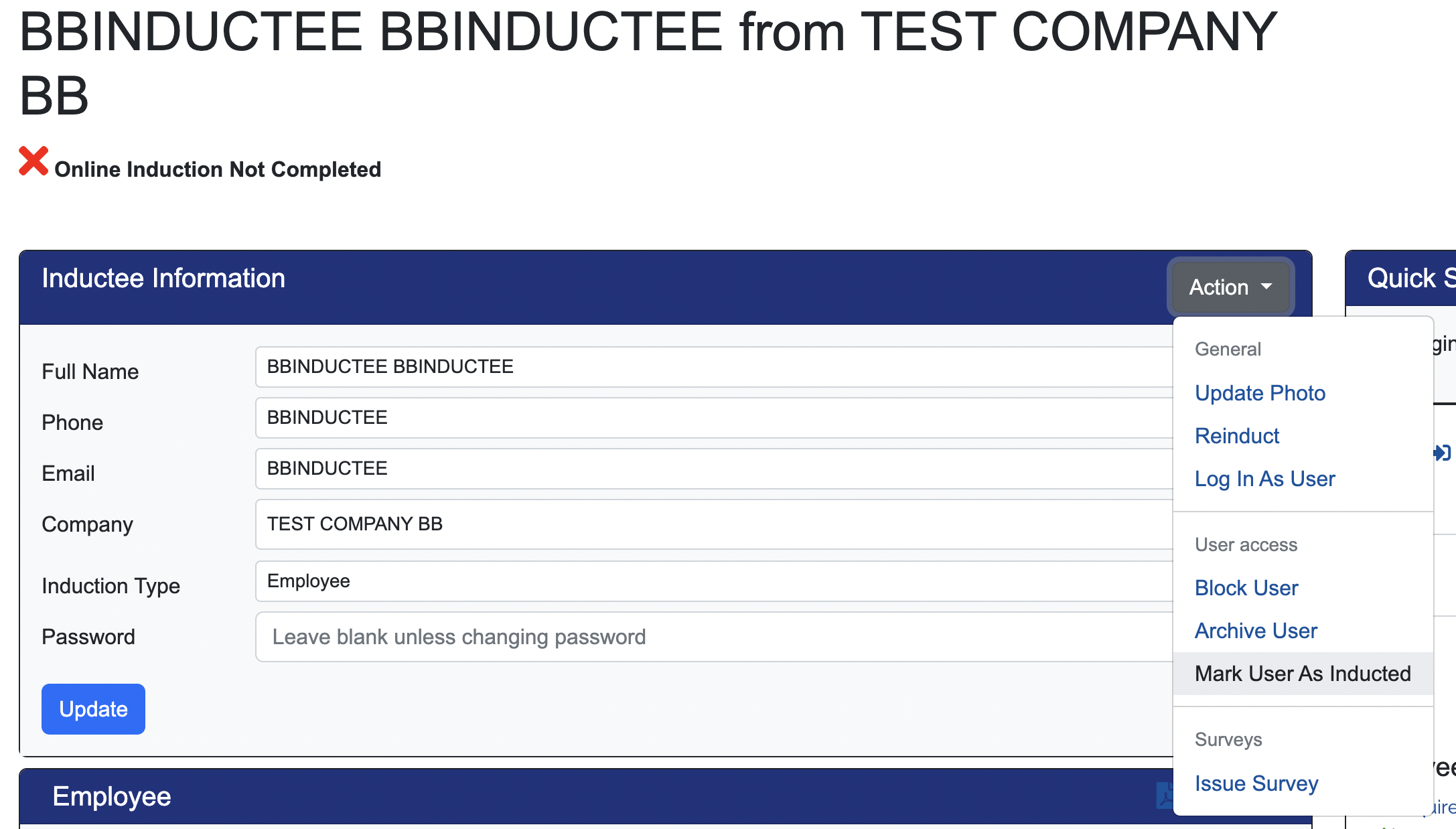
Using the ACTION button click the option to Mark User As Inducted
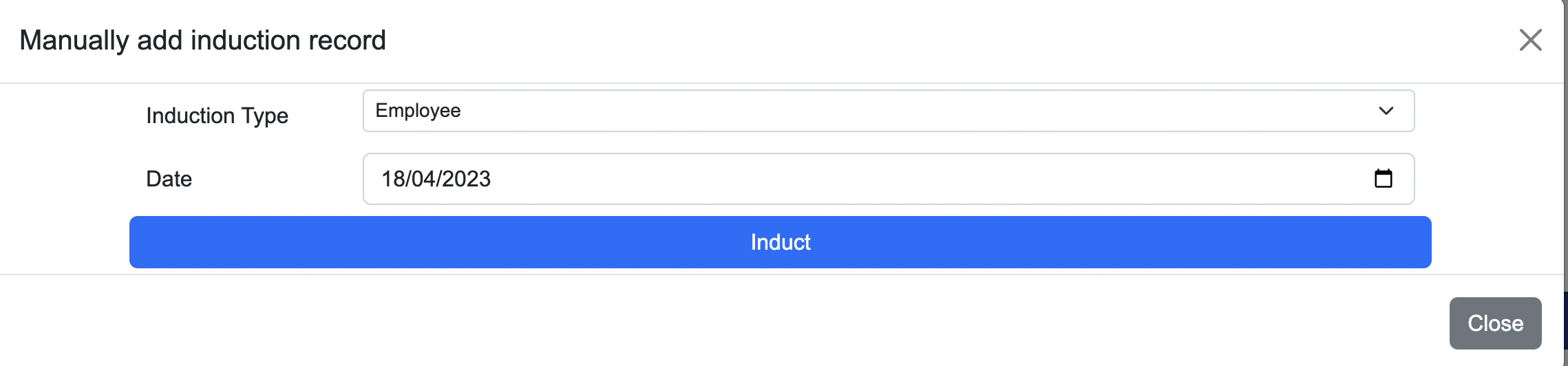
Here you must select which Induction Type from the drop down and nominate the date, clicking Induct to save the record.

Safety matters in and outside the workplace - read the full article here.
Our latest article talking about what insights and lessons learned. Check it out right here.
Check out our latest article about the best company induction design tips.
Check out our latest article about enhancing contractor management through mobile technologies.