Online Induction >> Online Induction Tutorials
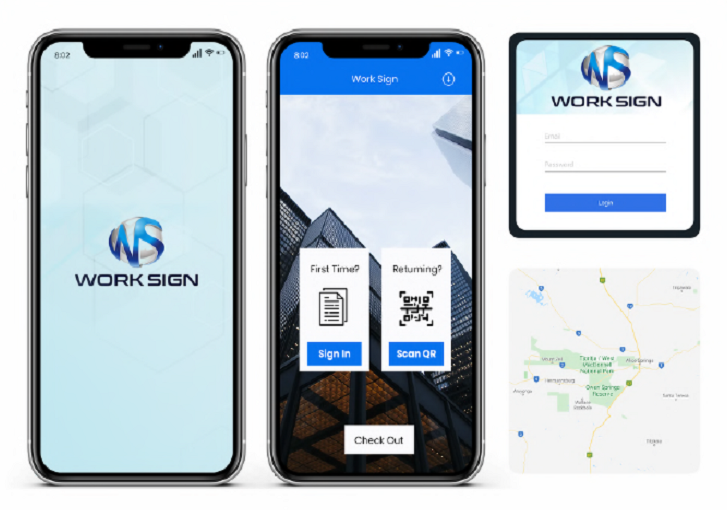
Setting up the Work Sign app on your kiosk


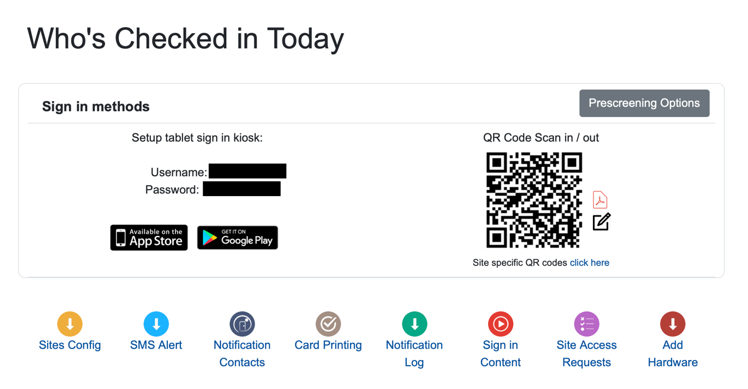
Log in with your site specific username and password which can be found on your Sign In/ Out menu option:


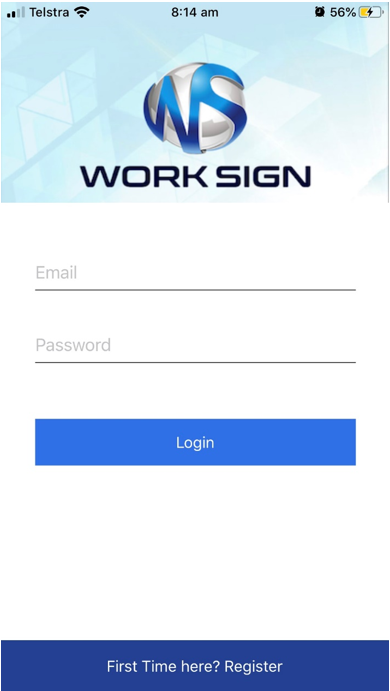
Once the app has been downloaded on your device you will be asked to fill in username and password 


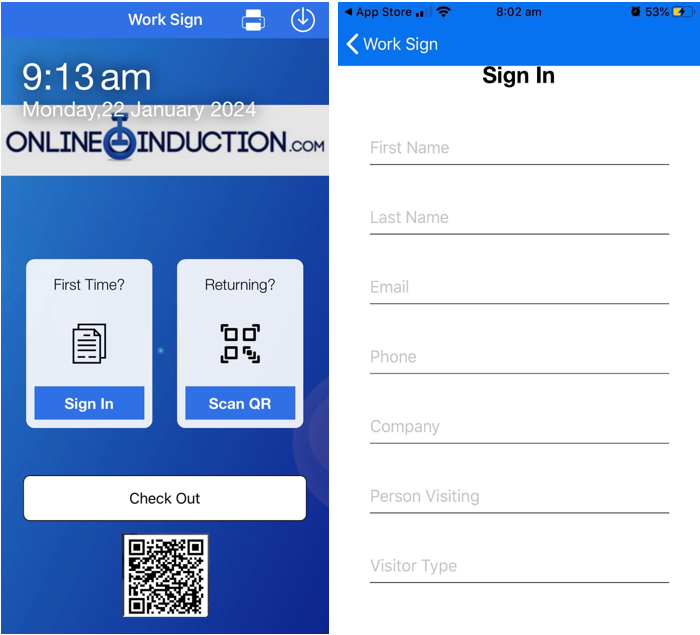
Once you have the app you will be logged into the system you will have 2 options: signing in with an existing account or selecting "First time here?":


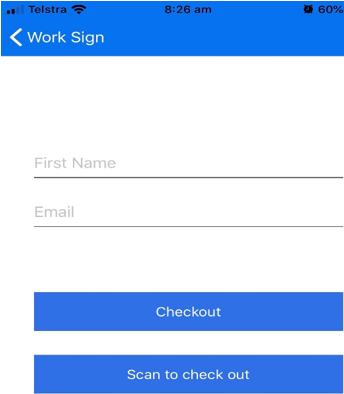
This allows for new users to register instantly or returning users to simply to scan in with their QR code off their induction card. If users are leaving, they simply click on the check out icon, either enter their registration details or re scan their induction card:


  • Create the induction types first
  • Enter in the steps you want per induction type
  • Upload or create content per step
  • Create notifications
  • Link to your portal from your website
  • Tell your users to register


Meet the Support Team!

Steve Guthrie
Head Of Customer Success

Michelle Nikolic
Client relationships and support

Bella Luhetoa
Client relationships and support

Melissa Guy
Client relationships and support

Amy Collins
Client relationships and support

Robbie Henderson
Client relationships and support


Onboarding Team

Patricia Cuozzo
(Currently on Mat Leave)
Product and Onboarding Lead

Cindy Bohl
Setup Success Team

Sarah Loose
Setup Success Team

Kayce Castle
Setup Success Team

Courtney Walker
Setup Success Team

Alexis Mckellow-Reading
Setup Success Team


Training Team

Laura Williams
Trainer

Hayley Golembka
Trainer