Online Induction >> Online Induction Tutorials
Are you wanting to use OneLogin: Unified Access Management? This platform provides secure single sign-on, multi-factor authentication, directory integration with AD, LDAP and other sign on methods.
If so, do you have an account setup with OneLogin?
Well need to liaise with a contact who is managing your OneLogin account.
SAML (SAML 2.0, WS-Federation)
https://docs.microsoft.com/en-us/azure/active-directory/manage-apps/add-application-portal
We will provide you with: Sign-on URL
Identifier (Entity ID)
Reply URL
Relay State
https://docs.microsoft.com/en-us/azure/active-directory/manage-apps/configure-single-sign-on-portal
Created a SAML signing certificate
Manually assigned users or groups to the application
Configured the application to use Azure AD as a SAML identity provider
Tested the SAML-based single sign-on
Navigate to SETUP / MANAGE CONTENT and select the SINGLE SIGN ON.

Click the link to download the latest Setup Guide for SSO.
Follow the instructions in the guide.
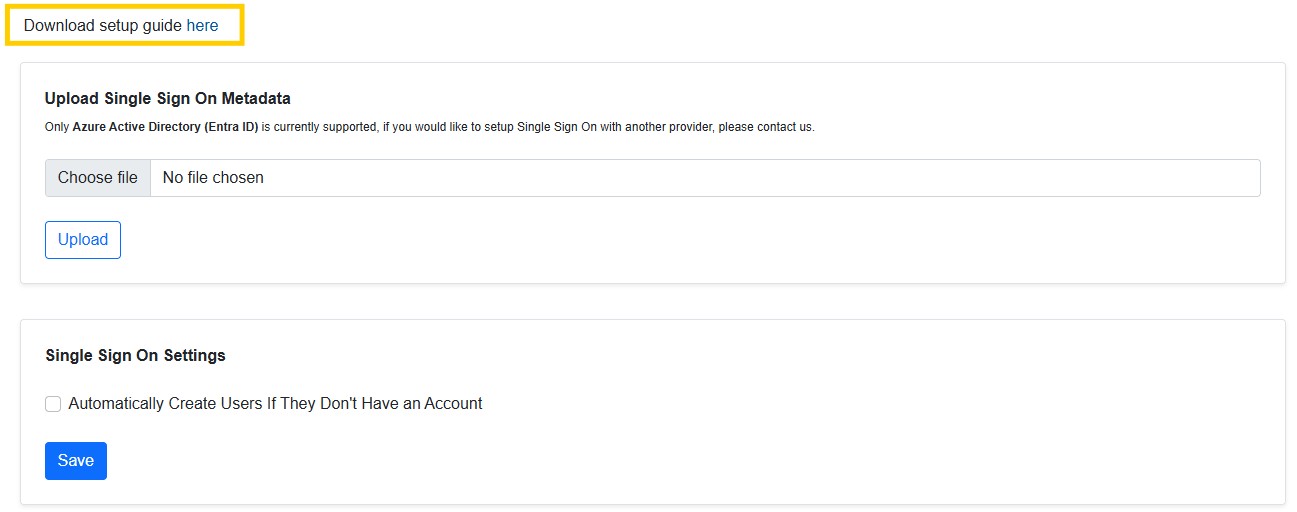
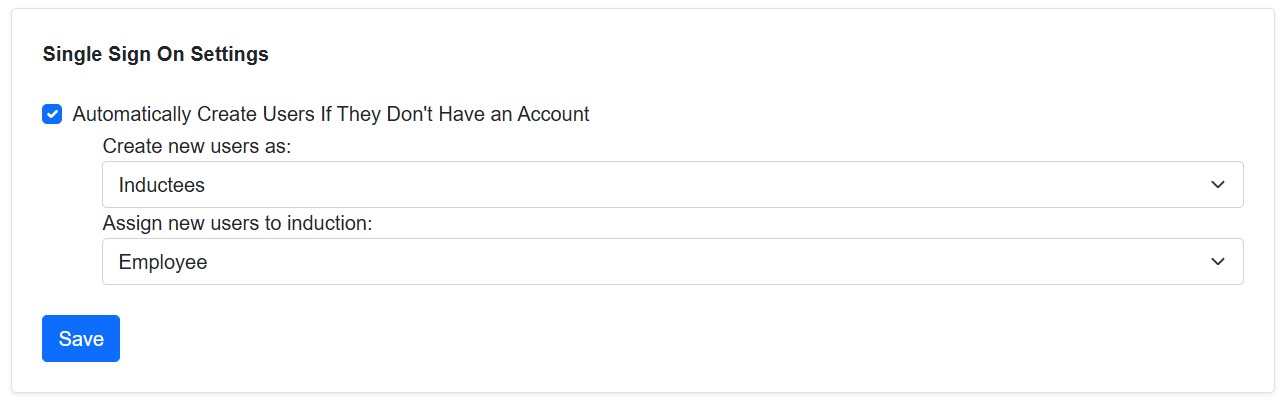
Select the checkbox to automatically create users, that dont have an account, when signing in via SSO.
Once selected, identify what user type and what induction these users should be assigned to.

Safety matters in and outside the workplace - read the full article here.
Our latest article talking about what insights and lessons learned. Check it out right here.
Check out our latest article about the best company induction design tips.
Check out our latest article about enhancing contractor management through mobile technologies.