Online Induction >> Online Induction Tutorials
Differences between Admin and Supervisor accounts within Work Sign
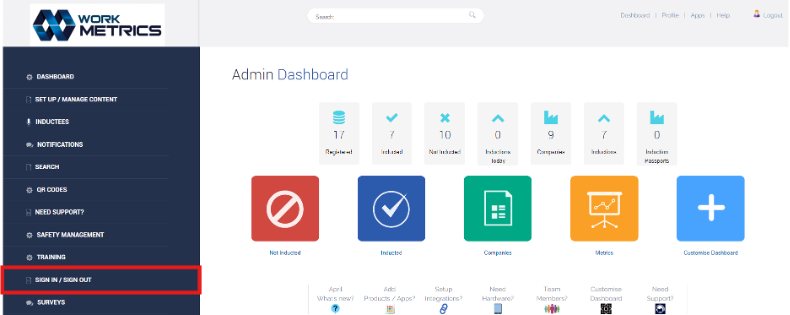
Admin users have complete access to your portal. All areas of Work Sign can be managed from within your Online Induction portal while logged in as an admin. When an admin logs in, the dashboard will show access to the left-hand menu, select “Sign in / Sign out” to access your Work Sign area.
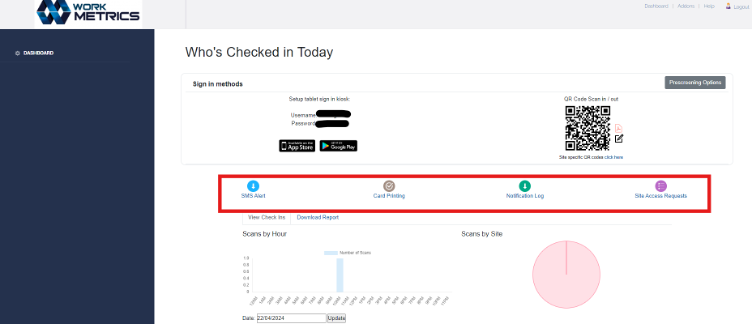
Admin users have access to the below areas, allowing them to enable notifications and set up sign in / sign out rules.

Admin users can view all users sign in / sign out activity, with the option of using filters to search.
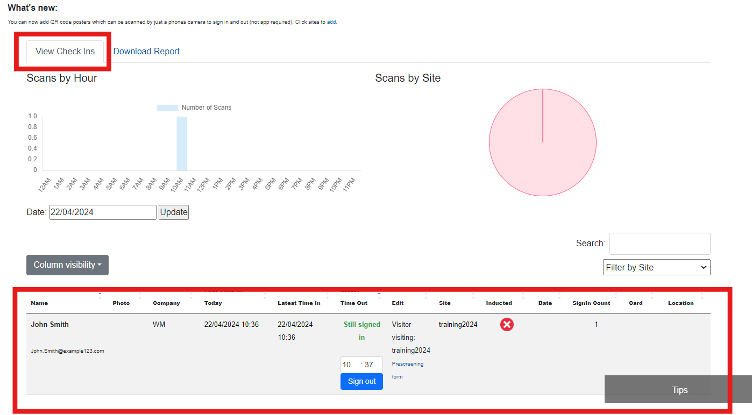
When logged in Supervisors have limited access to your portal. Only some areas of Work Sign can be managed from within your Online Induction portal.
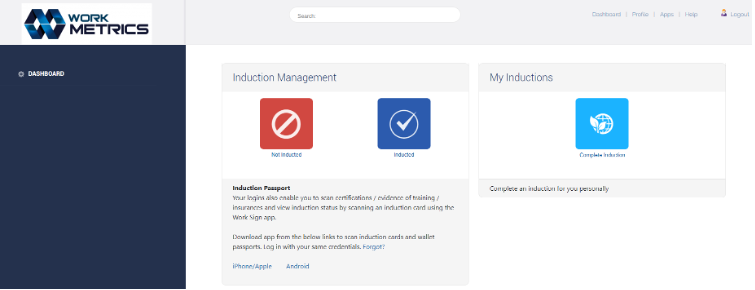
When a supervisor logs in, the dashboard will preview as below.

Upon accessing “Site Access Report”, Supervisors will see the below screen. Like an Admin, Supervisors do have access to some of the same settings however, there is less variety for Supervisors.

Safety matters in and outside the workplace - read the full article here.
Our latest article talking about what insights and lessons learned. Check it out right here.
Check out our latest article about the best company induction design tips.
Check out our latest article about enhancing contractor management through mobile technologies.