LMS Portal: How Learners Work Through Courses and Assessments
Published 05/11/2026

An LMS portal is where your people actually do their training. It is the place they log in, open a course, work through each module, answer the assessment and walk away with a certificate.
Most LMS buying decisions focus on the administrator's view: reports, pricing and integrations. Those things matter, but if the learner portal is confusing, courses go unfinished and compliance records fall behind. This guide looks at the LMS portal from the learner's side, showing how a course flows from start to finish and the different assessment options you can use to confirm that training has been understood, not just clicked through.
Try the Online Induction LMS portal
Courses, assessments, certificates and renewal reminders in one place.
What Is an LMS Portal?
An LMS portal is the learner-facing side of a learning management system. Administrators use the back end to build courses, assign training and run reports. Learners use the portal to complete that training on a computer, tablet or phone. A good LMS portal gives each person a clear view of:
- The courses assigned to them and when they are due
- How far through each course they are
- Their assessment results and any questions to retry
- Certificates they have earned and when they expire
For HR teams and safety leaders, the portal is where compliance actually happens. Every module completed and every assessment passed becomes part of the training record. If the portal is simple to use, people finish their training on time and the records take care of themselves. If it is clunky, supervisors end up chasing completions and filling gaps by hand.
The Benefits of Having an LMS
Without an LMS, training records tend to live in filing cabinets, inboxes and spreadsheets that only one person understands. An LMS brings it all into one place, so training is easier to deliver, easier to complete and easier to prove.
Less admin for your team
Courses are assigned, completed and recorded automatically. There are no sign-in sheets to collect, no spreadsheets to update and no certificates to file by hand.
Audit-ready compliance records
Every completion, assessment result and certificate is stored against the learner, with dates. When an auditor, client or regulator asks for evidence, the report is ready in minutes.
Consistent training everywhere
Every learner sees the same content and answers the same assessment, whether they work at head office, on a remote site or on a night shift.
Training that fits around work
Learners complete short modules on a computer, tablet or phone, at a time that suits them, and pick up where they left off if they are interrupted.
A clear view of who is ready to work
Supervisors can see at a glance who is trained, who is overdue and whose certificates are about to expire, without chasing anyone.
Lower training costs
Online courses cut the cost of trainers, venues, travel and time off the job, and the same course can be reused for every new starter.
The bottom line: an LMS turns training from a paperwork task into a system that runs itself, giving you more time to focus on the people being trained.
Working Through a Course in the LMS Portal
Most online courses follow the same simple pattern. The learner opens the course, moves through short modules one slide at a time, answers quick knowledge checks along the way and finishes with a final assessment. Progress is saved as they go, so they can stop and pick up where they left off. The animation below shows a typical site safety induction course from start to finish.
Behind the scenes, the LMS portal is recording every step. Each completed module updates the learner's progress, each assessment result is stored against their profile, and the certificate is issued automatically the moment they pass. Nobody has to upload a sign-in sheet or type results into a spreadsheet.
When reviewing an LMS portal, look for these learner-friendly details:
- Short modules that can be finished in a few minutes, so training fits around real work
- Saved progress so a learner who is interrupted does not have to start again
- Knowledge checks between modules that reinforce key points before the final assessment
- Mobile-friendly design for workers who do not sit at a desk
Assessment Options in the LMS Portal
An assessment is how you prove that training has been understood. The best LMS portals let you mix question types within a single assessment, so you can check simple facts quickly and still ask people to explain things in their own words where it matters. The animation below works through the four most common assessment options.
Multiple choice
Learners choose from a list of options. Questions can be set to one correct answer or to select all that apply, which is ideal when several answers are right, such as all the PPE needed for a task.
Radio buttons
A clean, familiar way to present answer options that works well on a phone. Like multiple choice, radio button questions can be set to a single answer or select all that apply.
True or false
A single statement that is either right or wrong. Quick to answer and great for challenging common myths and unsafe shortcuts.
Text box answers
Learners write their answer in their own words. Perfect for site-specific details, like an assembly point or a permit process, and answers can be reviewed by an assessor.
Mixing question types
A strong assessment usually blends all four. Use radio buttons and true or false questions for the essentials, select all that apply where several answers are correct, and one or two text box questions for the details that really matter on your site. Setting a pass mark, randomising question order and allowing a limited number of retries all help make sure a pass means the learner genuinely knows the material.
Results, Certificates and Reporting

Once a learner submits their assessment, the LMS portal does the paperwork. Automatically marked questions are scored instantly, text answers are queued for review, and a certificate is issued as soon as the pass mark is reached. For administrators and supervisors, that means:
- Results recorded against each learner without manual data entry
- Certificates issued and stored automatically
- Renewal reminders sent before training expires
- Reports ready to export for audits, clients and regulators
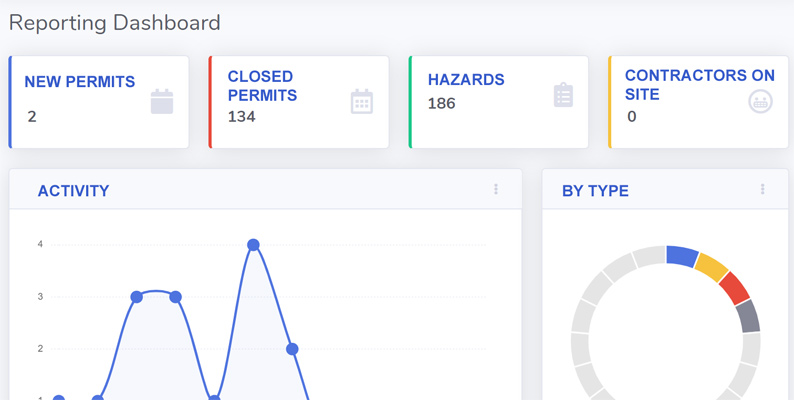
Safety leaders can see at a glance who is trained and ready to work, and who still has courses outstanding. HR teams get a complete training history for every employee, and learning and development teams can spot which questions people get wrong most often, a clear sign that a module needs more work.
When comparing LMS portals, ask to see exactly what happens after a learner presses submit. How quickly does the result appear? Where does the certificate go? Who is notified when someone fails? The answers will tell you how much time the system will really save your team.
Who Needs an LMS?
Any organisation that needs to train people and prove it can benefit from an LMS. It is especially valuable where training is a legal or contractual requirement, where the workforce changes often, or where people are spread across different sites and shifts.
Onboard new employees faster, assign the right courses by role and keep a complete training history for every person, from their first day to their last.
Make sure everyone on site has completed the training they need, track high-risk licences and tickets, and get alerts before certificates expire.
Build and update courses without technical help, see which questions people get wrong most often and measure the impact of every program.
Replace paper-based training with one simple system that saves time, reduces risk and grows with the business.
Signs your organisation needs an LMS
- Training records are kept in spreadsheets, folders or email
- You regularly chase people to complete training or renew certificates
- Preparing for an audit takes days rather than minutes
- You train contractors, casuals or staff across more than one site
- New starters wait for a trainer before they can start work
Common industries: Construction, manufacturing, mining and resources, healthcare and aged care, transport and logistics, local government, facilities management and education.
Core Features of the Online Induction LMS
The Online Induction LMS is designed to be easy for learners and powerful for administrators. These are the core features that come with it:
Ready-to-go course library
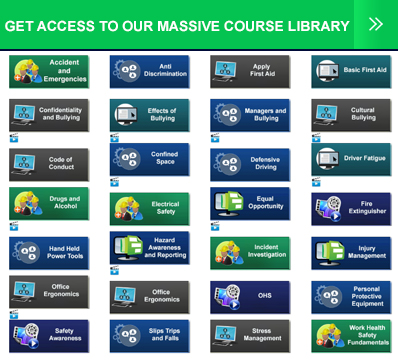
Start straight away with a library of ready-made workplace and safety courses, or upload and build your own.
Flexible assessments
Build assessments with multiple choice, radio button, true or false and text box questions, with select all that apply, pass marks and retries.
Automatic certificates
Certificates are issued the moment a learner passes and stored against their profile, ready to view or download at any time.
Renewal reminders
Learners and supervisors are notified before training expires, so certificates never quietly lapse.
Built-in skills matrix
See every person’s training status in one view, by course, team or site, and spot gaps before they become a problem.
Reporting and exports
Pull completion, assessment and certificate reports in a few clicks and export them for audits, clients and regulators.
Mobile-friendly learner portal
Learners complete courses on a computer, tablet or phone, with progress saved as they go.
Connected to your inductions
The LMS sits alongside Online Induction, so new starters and contractors move straight from their induction into their training, with one login and one set of records.
Good to know: the LMS is an add-on to the Online Induction platform, so there is no separate system to set up and no extra login for your people.
Online Induction's LMS Portal
Online Induction's LMS is available as a seamless add-on to the Online Induction platform, giving your people one simple portal for their inductions and ongoing training. Learners work through short, mobile-friendly modules, answer assessments built from multiple choice, radio button, true or false and text box questions, and receive their certificate the moment they pass.
For HR teams, safety leaders and learning and development professionals, every result, certificate and renewal date is recorded in the same place as your inductions. New starters and contractors move straight from their induction into the training they need, with no separate logins and no chasing paperwork.